
Zapier Automation Course: Digital Marketing and Workflow Automation

- Access
- Lifetime
- Assistance
- Expert Tutor Support
- Flexibility
- Learn Anytime, Anywhere
Overview
Digital marketing involves many repeated activities, including collecting leads, organising customer information, sending notifications, updating spreadsheets, managing enquiries and coordinating campaigns. When these tasks are handled manually across several platforms, they can consume valuable time and increase the possibility of delays, inconsistent records and avoidable mistakes.
Workflow automation can help businesses connect digital tools and organise routine processes more efficiently. Zapier is a popular automation platform that allows users to connect supported applications and create automated workflows, commonly known as Zaps. These workflows can transfer information between services and trigger actions when specified events occur.
The Zapier Automation Course: Digital Marketing and Workflow Automation is designed to introduce you to the principles of no-code automation and its application in digital marketing. You will explore how connected applications can support marketing activities, reduce repetitive administration and improve the flow of information between different systems.
Throughout the course, you will learn how automation workflows are structured, how triggers and actions work, and how to plan a process before building it. You will consider practical marketing scenarios involving lead collection, customer communication, contact management, campaign administration and reporting.
You will also explore how to approach automation responsibly. Not every process should be automated, and an incorrectly configured workflow can create duplicate records, send inappropriate messages or transfer inaccurate information. You will learn why testing, monitoring, data quality and clear workflow documentation are important parts of automation.
By the end of the course, you will have a foundation in planning and understanding automated marketing workflows. You will be better prepared to identify suitable automation opportunities, map processes and contribute to the improvement of digital marketing operations using no-code tools.
What You Will Learn
By completing this course, you will develop the ability to:
-
Explain the purpose and benefits of workflow automation.
-
Understand how Zapier connects supported digital applications.
-
Identify triggers, actions and workflow steps.
-
Map routine digital marketing processes.
-
Understand how lead information can move between connected tools.
-
Explore automation for customer enquiries and notifications.
-
Understand how to organise contact and campaign information.
-
Recognise opportunities to reduce repetitive administrative work.
-
Test workflows and identify common configuration problems.
-
Consider data accuracy, privacy and responsible automation.
-
Monitor automated processes and review their performance.
-
Identify opportunities to improve marketing workflows.
Who Is This For?
Digital marketing beginners: If you are entering digital marketing, this course will help you understand how automation can support campaign administration, lead management and customer communication.
Marketing assistants and executives: You can explore ways to organise repetitive activities and improve how information moves between marketing applications.
Small business owners: The course can help you identify processes that may benefit from automation, allowing you to consider more efficient ways to manage enquiries, leads and routine communications.
Freelancers and digital marketing consultants: You can develop an understanding of workflow automation that may support client projects, marketing administration and service delivery.
Sales and customer support professionals: If your work involves managing enquiries, updating customer information or sending internal notifications, you will learn how automation concepts can support these activities.
Administrative and operations professionals: The course introduces transferable knowledge that can help you identify repeated tasks and consider how digital applications may work together.
Students and career changers: No specialist technical background is needed to begin exploring no-code automation and its business applications.
Requirements / Prerequisites
No formal qualifications or programming experience are required. The course is suitable for beginners and learners who want to understand how no-code automation supports digital marketing.
A basic understanding of using computers, websites and online applications will be helpful. Familiarity with spreadsheets, email platforms or social media tools may make the examples easier to understand, but it is not essential.
Access to a computer and an internet connection will help you study and explore workflow examples. Practical use of Zapier may require an account, and some integrations or features may depend on the platform’s current subscription plans, usage limits and supported applications.
You should also be willing to think logically about processes, consider what information needs to move between applications and review whether an automated result is correct.
Course Content
Module 1: Introduction to Workflow Automation
You will explore what workflow automation means and why organisations use it. This module introduces repetitive tasks, process efficiency and the relationship between connected digital applications.
You will consider how automation can reduce manual administration and improve consistency when workflows are properly planned and monitored.
Module 2: Understanding Zapier and Connected Applications
You will learn about Zapier’s role as an automation platform and explore how it connects supported applications. The module introduces the concept of creating workflows between different services without needing to write traditional code.
You will also consider why integration compatibility and application permissions matter when planning an automation.
Module 3: Triggers, Actions and Workflow Structure
This module introduces the main building blocks of a Zap. You will explore how a trigger starts a workflow and how one or more actions can follow.
You will learn to map a simple process by identifying the event that starts it, the information involved and the action that should happen next.
Module 4: Automating Lead Generation and Collection
You will explore how automated workflows can support lead collection from suitable forms and connected marketing applications.
You will consider how lead information can be transferred into contact management systems or spreadsheets and why accurate field mapping is important.
Module 5: Contact Management and Customer Data
This module examines how automation can support the organisation of customer and prospect information. You will explore ways to transfer data, update records and notify relevant team members when new information becomes available.
You will also consider the risks of duplicate records, missing fields and inaccurate data.
Module 6: Email Marketing and Customer Communication
You will explore how automation can support communication processes, including internal notifications and connections with supported email marketing applications.
You will consider how to organise communication workflows while maintaining appropriate consent, message relevance and responsible use of customer information.
Module 7: Social Media and Campaign Administration
You will examine ways automation can support selected social media and campaign-related activities where integrations are available. Topics include notifications, content coordination and transferring information between connected applications.
You will learn why automated publishing and other external actions should be reviewed carefully before being used in live marketing campaigns.
Module 8: Marketing Reporting and Spreadsheet Automation
You will explore how data can be transferred into spreadsheets and other reporting tools. You will consider how automation can reduce repeated data entry and support the organisation of marketing information.
You will also examine the importance of checking data accuracy before using automated reports to make business decisions.
Module 9: Testing, Troubleshooting and Monitoring
You will learn why workflows should be tested before being relied upon. This module considers common problems such as missing information, incorrect field mapping, failed connections and unexpected results.
You will develop a structured approach to reviewing workflow behaviour and identifying where a process needs adjustment.
Module 10: Automation Planning and Process Improvement
The final module brings together the course concepts to help you identify useful automation opportunities. You will explore how to document a process, define its intended outcome and consider whether automation is appropriate.
You will also consider how to review workflows over time as business needs, applications and marketing processes change.
Skills You Can Develop
The course can help you strengthen:
-
No-code automation awareness.
-
Workflow planning.
-
Process mapping.
-
Digital application integration knowledge.
-
Lead management awareness.
-
Marketing administration.
-
Customer data organisation.
-
Basic troubleshooting.
-
Data accuracy and quality awareness.
-
Process improvement.
-
Digital problem-solving.
These skills can support work in marketing, administration, sales, customer service and business operations.
Career Path
Knowledge of digital workflow automation can be useful in several roles where efficiency and connected applications are important.
Digital Marketing Assistant: Support campaign administration, lead organisation and marketing coordination.
Marketing Executive: Contribute to campaign activities and identify opportunities to improve marketing processes through suitable digital tools.
Marketing Automation Assistant: Help maintain workflows, organise marketing data and support automation-related tasks. Employers may require practical experience with relevant platforms.
CRM Assistant: Support customer relationship management processes, including data updates, record organisation and workflow coordination.
Sales Operations Assistant: Help organise sales information, coordinate processes and support communication between teams.
Business Operations Assistant: Contribute to process documentation, administrative improvement and the effective use of digital applications.
Freelance Automation Consultant: With further practical experience and a portfolio of successful projects, you may explore offering workflow setup and improvement services to clients.
This course provides foundational knowledge and does not guarantee employment or professional recognition. More advanced automation roles may require hands-on experience, knowledge of APIs, data handling, CRM platforms and other technical systems.
Applying Your Knowledge
Choose a simple process that involves repeated manual work. For example, imagine that a business receives enquiries through an online form and needs to organise each enquiry in a spreadsheet before notifying a team member.
Map the process by identifying the starting event, the information that needs to be transferred and the intended action. Consider how you would test the workflow, check for missing information and prevent duplicate records.
This exercise will help you understand the logic behind automation before building or managing workflows in a live environment.
Responsible Automation and Data Handling
Automation should improve a process without creating unnecessary risks. When working with customer information, you should consider privacy requirements, access permissions, consent and the purpose for which data is collected.
You should also review automated communications before activating them. A workflow that sends the wrong message or transfers inaccurate information can affect customer trust and business operations. Regular testing and monitoring are therefore essential.
Conclusion
The Zapier Automation Course: Digital Marketing and Workflow Automation will help you understand how no-code tools can connect digital applications and support more efficient marketing processes. You will explore triggers, actions, lead collection, contact management, customer communication, reporting and workflow troubleshooting.
Whether you work in marketing, sales, administration or business operations, this course can help you recognise repetitive processes and consider practical automation opportunities. You will finish with a clearer understanding of how workflow automation works and how it can contribute to organised, consistent and efficient digital marketing activities.
Curriculum
- Zapier For Beginners — Automate All Your Tasks Without Coding!
- Zapier’s Most Popular Zaps — What Can You Automate
- Build Your First Zap With Zapier — How To Publish New Youtube Videos To Twitter
- Top 5 Time Saving Zaps On Zapier
- Understanding Zapier Pricing And Task Usage — Which Zapier.Com Plan Is Best
- Zapier Vs Ifttt 2020 — Best Automation Tools For Entrepreneurs Online
- Zapier Task History And Zap Status Explained — Success, Delayed, Didn’t Pass Filter, And Stopped For Error!
- When To Automate Vs When To Do Manually
- Zapier Default Apps Overview And Filter Example
- Zapier Delay Tutorial — Wait For, Until, Or Queue Zap Workflows!
- Filter By Zapier Tutorial — Stop Zaps From Running And Continue If Successful!
- Sms By Zapier For Sending Text Message Notifications!
- Zapier Paths For Conditional Logic Processing And Advanced Workflows!
- Share New WordPress Posts Automatically With Zapier To Facebook, Twitter, Linkedin, And Pinterest
- Send An Email Sequence With Gmail Via Zapier Without Using Email Marketing Software
- How To Publish Instagram Posts Automatically To Facebook, Twitter, Linkedin, And Pinterest!
- Add Customers From Woocommerce To Email Lists With Zapier Automation Ft Activecampaign And Learndash
- Gmail Automatic Forwarding Or Sms Notifications For Emails Matching Search With Zapier!
- Best Appointment Scheduling Apps And Workflows With Zapier!
- Woocommerce New Order Sms Notifications With Zapier
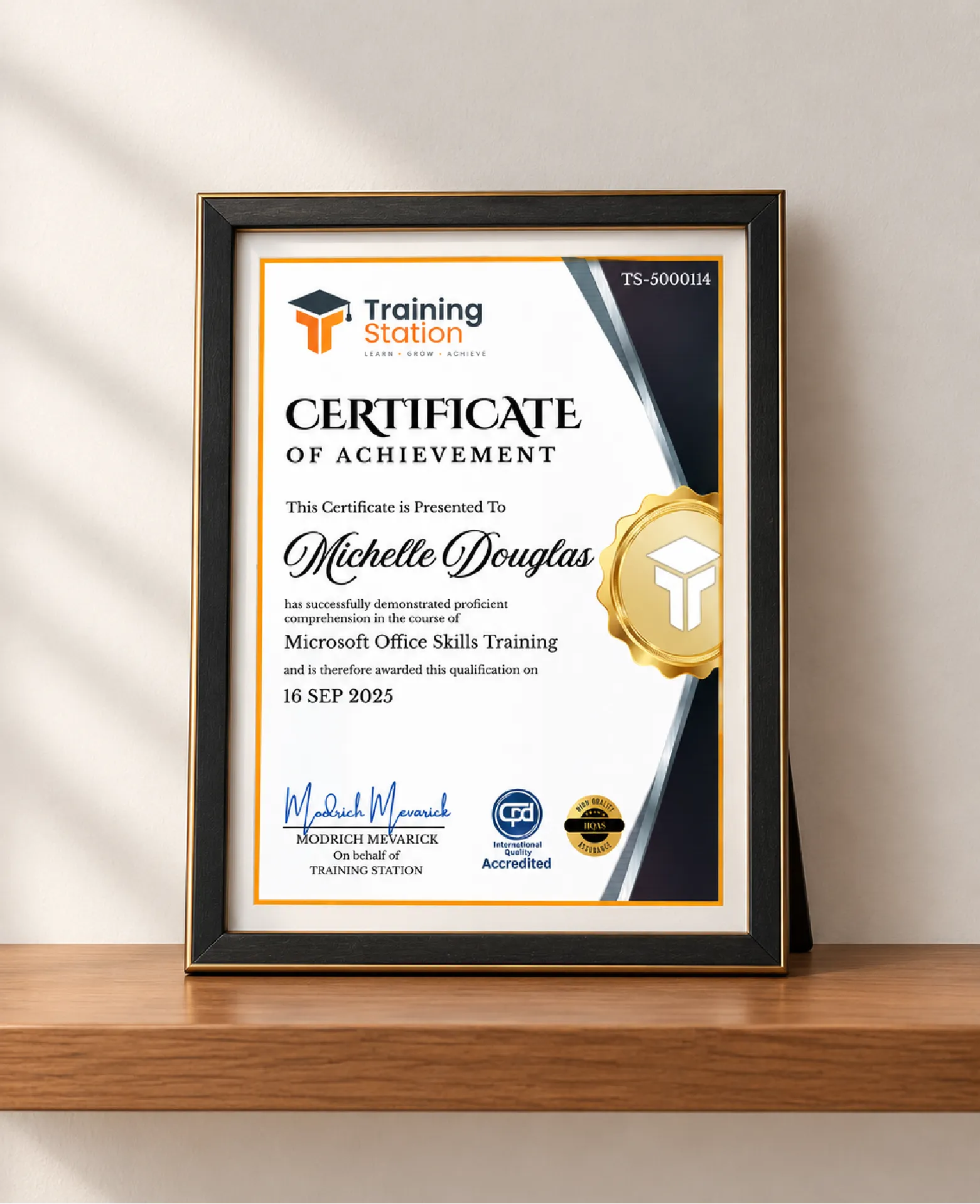
Celebrate your achievement with a CPD-IQ accredited certificate from Training Station! Perfect for showcasing your skills, boosting your career, and enhancing your professional profile.
Get this CourseOur Courses Accreditation




Frequently Asked Questions
Fully online through PDF materials and video lessons. Learn anytime, anywhere.
Self-paced: complete it in a week or spread it over months.
No. The course is beginner-friendly.
Yes. Instructor support is available Monday to Friday.
Yes. We offer a 14-day money-back guarantee.
 Access all courses for Only £99