
Platform Genius – Working with AI Dashboards

- Access
- Lifetime
- Assistance
- Expert Tutor Support
- Flexibility
- Learn Anytime, Anywhere
Overview
Platform Genius – Working with AI Dashboards
Overview
Artificial intelligence is rapidly transforming the way professionals work, communicate, create content, analyze information, and solve complex problems. As AI platforms continue to evolve, the ability to effectively navigate and utilize multiple AI dashboards has become one of the most valuable digital skills in today’s workplace. Platform Genius – Working with AI Dashboards is a comprehensive professional training program designed to help learners master the world’s leading AI platforms, including ChatGPT, Meta AI, Perplexity AI, Gemini, Claude, and NotebookLM.
This course goes beyond basic prompting and introduces a strategic framework for working with advanced AI systems. Learners will gain practical skills for generating high-quality outputs, managing AI-assisted workflows, refining prompts, customizing responses, conducting intelligent research, collaborating with AI-powered workspaces, and integrating multiple platforms into a unified productivity ecosystem.
Whether your goal is to enhance business productivity, accelerate content creation, improve research efficiency, automate repetitive tasks, or gain a competitive edge in the modern workplace, Platform Genius – Working with AI Dashboards provides the knowledge and practical techniques needed to become an AI-powered professional.
By the end of this course, learners will possess the confidence and expertise required to leverage multiple AI dashboards effectively, unlocking new levels of creativity, efficiency, and innovation across professional and personal projects.
Course Description
The AI revolution is no longer a future concept—it is happening right now. Organizations across industries are increasingly adopting AI-powered tools to improve decision-making, streamline operations, enhance customer experiences, and accelerate innovation. However, many professionals only scratch the surface of what these powerful platforms can achieve.
Platform Genius – Working with AI Dashboards is specifically designed to bridge this gap. This comprehensive training course explores the capabilities, strengths, workflows, and advanced features of today’s leading AI platforms. Rather than focusing on a single tool, learners will develop a multi-platform mindset that enables them to select the right AI solution for the right task.
Throughout the course, students will discover how to create highly effective prompts, manage AI-generated content, customize outputs for specific goals, conduct advanced research, collaborate on documents, build dynamic workspaces, and integrate AI into everyday professional activities.
The curriculum is structured progressively, beginning with foundational communication techniques in ChatGPT before expanding into advanced workflows across Meta AI, Perplexity AI, Gemini, Claude, and NotebookLM. Each module provides actionable strategies that learners can immediately apply to real-world projects.
By mastering multiple AI dashboards, learners will become more adaptable, efficient, and capable of extracting maximum value from modern artificial intelligence technologies.
What You Will Learn in Platform Genius – Working with AI Dashboards
Module 0001 – ChatGPT: Mastering Fluid Dialogue
This opening module introduces learners to the fundamentals of conversational AI interaction within ChatGPT. Students will learn how to structure prompts that encourage more useful, coherent, and context-aware responses.
Topics include:
-
Understanding conversational flow
-
Building context effectively
-
Asking better questions
-
Maintaining dialogue continuity
-
Improving AI response quality
-
Developing productive AI conversations
Learners will establish a strong foundation for all future AI interactions.
Module 0002 – ChatGPT Canvas: Collaborative Editing Workflows
Explore the collaborative editing capabilities available through ChatGPT Canvas and similar workspace environments.
Key learning areas include:
-
Collaborative content refinement
-
Editing workflows
-
Structured document management
-
Real-time content improvement
-
Version tracking strategies
-
AI-assisted revisions
Students will learn how AI can become an active partner in content development.
Module 0003 – ChatGPT: Precision Control & Output Mastery
This module focuses on maximizing output quality through advanced prompt engineering techniques.
Topics include:
-
Controlling response formats
-
Setting constraints and parameters
-
Improving accuracy
-
Generating structured outputs
-
Managing tone and style
-
Creating repeatable prompt systems
Learners will gain greater control over AI-generated content.
Module 0004 – ChatGPT: Pro-Level Feature Deep Dive
Discover advanced ChatGPT functionalities designed for professional users.
Areas covered include:
-
Productivity-enhancing features
-
Advanced customization
-
Workflow optimization
-
Specialized use cases
-
Professional applications
-
AI-assisted project management
Students will learn to leverage ChatGPT as a powerful business tool.
Module 0005 – Meta AI: Unlocking Intuitive Prompting
Learn how Meta AI interprets instructions and discover techniques for creating effective prompts.
Topics include:
-
Prompt design principles
-
Understanding Meta AI behavior
-
Context optimization
-
Enhancing response relevance
-
Communication strategies
-
AI-assisted ideation
Learners will understand how to maximize Meta AI performance.
Module 0006 – Meta AI: High-Speed Revision Tools
This module explores Meta AI’s strengths in rapid editing and content improvement.
Students will learn:
-
Quick content revisions
-
Efficient proofreading
-
Text enhancement techniques
-
Content restructuring
-
Productivity acceleration
-
Workflow automation
Practical exercises demonstrate real-world revision workflows.
Module 0007 – Meta AI: Advanced Output Calibration
Gain deeper control over the quality, style, and consistency of Meta AI outputs.
Key topics include:
-
Response customization
-
Style adjustments
-
Formatting control
-
Precision prompting
-
Output consistency
-
Professional content generation
Students will learn to shape AI outputs according to specific objectives.
Module 0008 – Meta AI: Performance Strengths & Applications
Understand where Meta AI excels and how to integrate it into practical workflows.
Topics include:
-
Comparative platform analysis
-
Industry applications
-
Productivity use cases
-
Content development
-
Business implementation
-
Strategic platform selection
Learners will identify scenarios where Meta AI delivers maximum value.
Module 0009 – Perplexity AI: Navigating Open-Ended Queries
Discover how Perplexity AI handles research-oriented questions and information discovery.
Areas covered include:
-
Open-ended research techniques
-
Question refinement
-
Information exploration
-
Source evaluation
-
Research workflows
-
Knowledge discovery
Students will develop stronger AI-assisted research skills.
Module 0010 – Perplexity AI: Refining Search Intelligence
This module focuses on improving search accuracy and information retrieval.
Topics include:
-
Advanced search techniques
-
Query optimization
-
Research precision
-
Information filtering
-
Context-aware searching
-
Efficient data gathering
Learners will improve research speed and accuracy.
Module 0011 – Perplexity AI: Configuring Custom Output Styles
Learn how to tailor Perplexity AI outputs for specific professional requirements.
Topics include:
-
Response formatting
-
Content customization
-
Report generation
-
Structured research outputs
-
Professional documentation
-
Workflow adaptation
Students will create highly targeted AI-generated results.
Module 0012 – Perplexity AI: Exploring Elite Functionalities
Explore advanced capabilities available within Perplexity AI.
Areas covered include:
-
Premium features
-
Advanced research workflows
-
Deep information synthesis
-
Productivity enhancements
-
Knowledge management
-
Specialized applications
Learners will unlock the platform’s full potential.
Module 0013 – Gemini: Dynamic Interaction Strategies
This module introduces effective communication techniques for Google’s Gemini platform.
Topics include:
-
Dynamic prompting
-
Interactive workflows
-
Multi-step conversations
-
Context management
-
Productivity applications
-
Content generation
Students will learn platform-specific optimization strategies.
Module 0014 – Gemini: Targeted Editing & Accuracy
Focus on improving content quality and response precision within Gemini.
Key areas include:
-
Accuracy enhancement
-
Editing workflows
-
Content refinement
-
Fact verification techniques
-
Error reduction
-
Professional document improvement
Learners will create more reliable AI-assisted outputs.
Module 0015 – Gemini: Customizing Engine Responses
Learn how to tailor Gemini responses for specific projects and objectives.
Topics include:
-
Output customization
-
Style management
-
Response tuning
-
Goal-oriented prompting
-
Workflow personalization
-
Advanced formatting controls
Students will gain greater control over AI-generated content.
Module 0016 – Gemini: Maximizing Ecosystem Features
Explore the broader capabilities and integrations available within the Gemini ecosystem.
Topics include:
-
Productivity integrations
-
Ecosystem tools
-
Workflow connectivity
-
Cross-platform collaboration
-
Professional use cases
-
Business applications
Learners will understand how Gemini fits into larger digital workflows.
Module 0017 – Claude: Expressive & Natural Prompting
Learn how to communicate effectively with Claude using natural language prompting techniques.
Topics include:
-
Conversational prompting
-
Long-form content generation
-
Context preservation
-
Creative collaboration
-
Detailed instruction design
-
Professional communication workflows
Students will maximize Claude’s strengths in nuanced language understanding.
Module 0018 – Claude: Document Management & Fine-Tuning
This module focuses on handling large documents and refining AI outputs.
Areas covered include:
-
Document analysis
-
Content organization
-
Long-form editing
-
Information extraction
-
Quality refinement
-
Workflow optimization
Learners will develop advanced document management skills.
Module 0019 – Claude: Personalizing Model Behavior
Discover methods for tailoring Claude’s behavior to align with specific objectives.
Topics include:
-
Behavioral customization
-
Response consistency
-
Style adaptation
-
Workflow personalization
-
Professional output standards
-
AI-assisted productivity systems
Students will create highly customized AI interactions.
Module 0020 – Claude Artifacts: Building Dynamic Workspaces
Explore Claude Artifacts and learn how to create interactive, AI-powered workspaces.
Topics include:
-
Workspace creation
-
Interactive content development
-
Project collaboration
-
Dynamic workflows
-
Productivity enhancement
-
Advanced AI integration
Learners will discover innovative methods for managing projects with AI.
Module 0021 – Final Synthesis: Multi-Platform Mastery with NotebookLM
The final module brings all acquired skills together into a unified AI workflow framework.
Topics include:
-
Multi-platform integration
-
Knowledge management
-
Research synthesis
-
Cross-platform productivity
-
NotebookLM implementation
-
Strategic AI workflow design
Students will graduate with the ability to leverage multiple AI dashboards efficiently and professionally.
Who Is This Course For?
Platform Genius – Working with AI Dashboards is suitable for:
-
Business professionals seeking productivity improvements
-
Content creators and marketers
-
Entrepreneurs and startup founders
-
Researchers and analysts
-
Project managers
-
Consultants
-
Educators and trainers
-
Freelancers
-
Administrative professionals
-
Students preparing for AI-driven workplaces
-
Digital transformation leaders
-
Anyone interested in mastering modern AI tools
No previous AI experience is required.
Requirements
There are no formal prerequisites for enrolling in Platform Genius – Working with AI Dashboards.
Learners will benefit from:
-
Basic computer literacy
-
Internet access
-
Interest in artificial intelligence technologies
-
Willingness to explore multiple AI platforms
-
Desire to improve productivity and workflow efficiency
The course is designed to accommodate both beginners and experienced professionals.
Career Path
Completing Platform Genius – Working with AI Dashboards can support progression into numerous modern career pathways, including:
-
AI Productivity Specialist
-
Digital Transformation Consultant
-
Content Strategist
-
Marketing Professional
-
Research Analyst
-
Business Operations Specialist
-
Project Coordinator
-
Knowledge Management Professional
-
AI Workflow Consultant
-
Administrative Manager
-
Customer Experience Specialist
-
Innovation and Technology Advisor
-
Entrepreneur and Business Owner
The skills acquired are highly transferable across industries increasingly adopting AI-powered workflows.
Frequently Asked Questions (FAQ)
1. What is Platform Genius – Working with AI Dashboards?
This course is a comprehensive training program designed to help learners master multiple leading AI platforms including ChatGPT, Meta AI, Perplexity AI, Gemini, Claude, and NotebookLM.
2. Do I need previous AI experience?
No. The course begins with foundational concepts and gradually progresses toward advanced multi-platform workflows, making it suitable for beginners.
3. Which AI platforms are covered?
The course covers ChatGPT, Meta AI, Perplexity AI, Gemini, Claude, Claude Artifacts, and NotebookLM.
4. Is this course practical or theoretical?
The course emphasizes practical application, providing real-world techniques, workflows, and strategies that learners can immediately implement.
5. Can this course help improve workplace productivity?
Yes. The course focuses heavily on productivity enhancement, workflow optimization, content creation, research efficiency, and decision support.
6. Will I learn prompt engineering?
Absolutely. Prompt creation, refinement, customization, and advanced prompting techniques are covered throughout multiple modules.
7. Is NotebookLM included in the training?
Yes. The final module focuses on NotebookLM and demonstrates how it can be integrated into a broader multi-platform AI workflow.
8. How long will the skills remain relevant?
The course teaches platform-specific techniques as well as transferable AI principles that remain valuable as technology evolves.
9. Can freelancers and entrepreneurs benefit from this course?
Yes. Freelancers, consultants, business owners, and entrepreneurs can use these AI tools to streamline operations, improve productivity, and scale their work more effectively.
10. What will I be able to do after completing the course?
Upon completion, you will be able to confidently navigate multiple AI dashboards, create effective prompts, conduct advanced research, customize outputs, manage AI-assisted workflows, and strategically combine multiple AI platforms to achieve professional results.
Curriculum
- 0001 – ChatGPT: Mastering Fluid Dialogue
- ChatGPT Canvas: Collaborative Editing Workflows
- ChatGPT: Precision Control & Output Mastery
- ChatGPT: Pro-Level Feature Deep Dive
- Meta AI: Unlocking Intuitive Prompting
- Meta AI: High-Speed Revision Tools
- Meta AI: Advanced Output Calibration
- Meta AI: Performance Strengths & Applications
- Perplexity AI: Navigating Open-Ended Queries
- Perplexity AI: Refining Search Intelligence
- Perplexity AI: Configuring Custom Output Styles
- Perplexity AI: Exploring Elite Functionalities
- Gemini: Dynamic Interaction Strategies
- Gemini: Targeted Editing & Accuracy
- Gemini: Customizing Engine Responses
- Gemini: Maximizing Ecosystem Features
- Claude: Expressive & Natural Prompting
- Claude: Document Management & Fine-Tuning
- Claude: Personalizing Model Behavior
- Claude Artifacts: Building Dynamic Workspaces
- Final Synthesis: Multi-Platform Mastery with NotebookLM
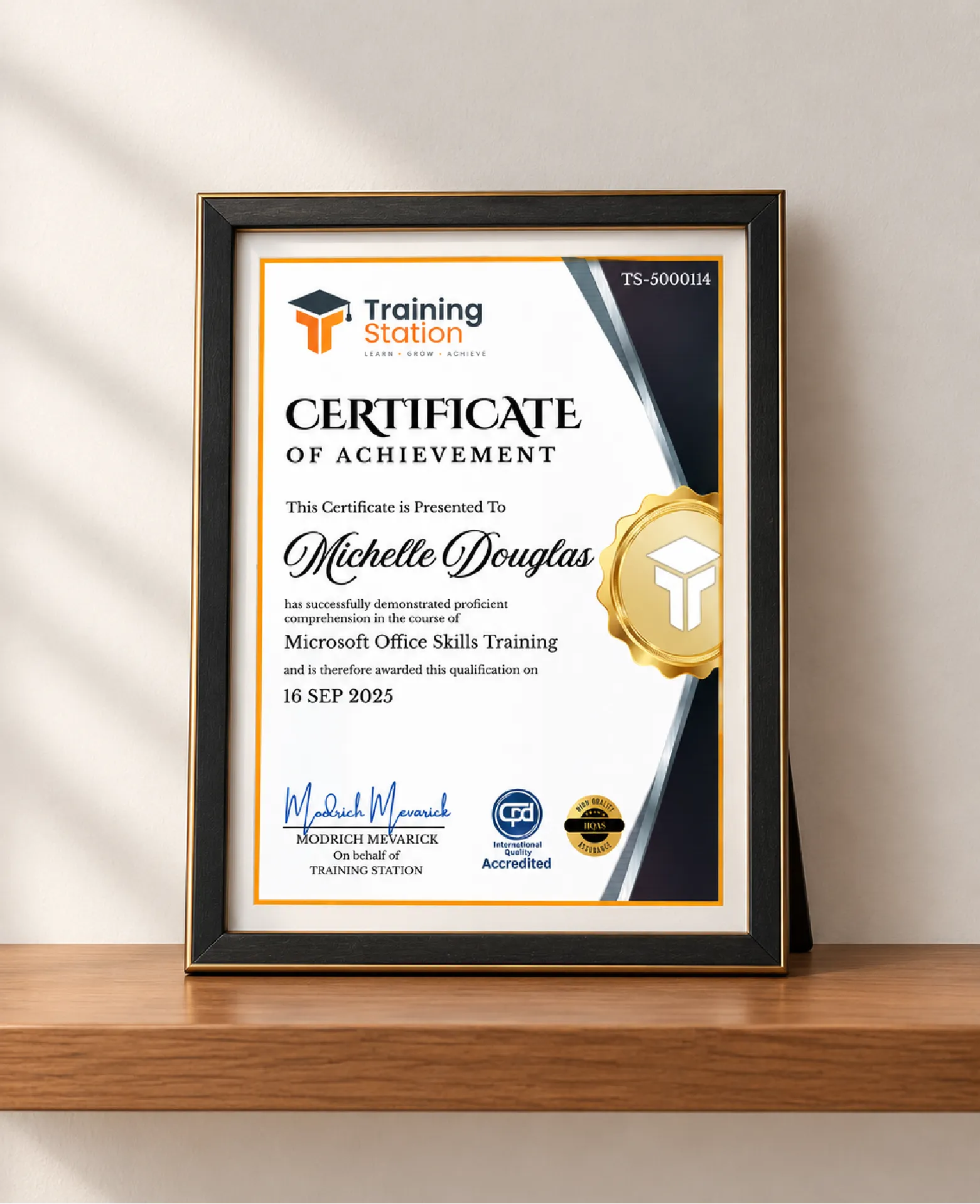
Celebrate your achievement with a CPD-IQ accredited certificate from Training Station! Perfect for showcasing your skills, boosting your career, and enhancing your professional profile.
Get this CourseOur Courses Accreditation


Frequently Asked Questions
Fully online through PDF materials and video lessons. Learn anytime, anywhere.
Self-paced: complete it in a week or spread it over months.
No. The course is beginner-friendly.
Yes. Instructor support is available Monday to Friday.
Yes. We offer a 14-day money-back guarantee.
 Access all courses for Only £99