Microsoft Office 365 Training Course – Word, Excel & PowerPoint
Get Ready to Build a Career in Office Administration & Business Support in the UK
Develop essential Microsoft Office 365 skills, understand how to create professional documents, manage spreadsheets, and design effective presentations, and build a strong foundation for rewarding career opportunities in the UK’s business, administration, education, and professional services sectors!
✅ Master Microsoft Office 365 & Essential Office Skills — Learn the fundamentals of Microsoft Word, Excel, and PowerPoint, explore their core features, and understand how these applications support everyday administrative and business tasks.
✅ Develop Excel Data Management & Analysis Skills — Explore Excel formulas and functions, data management techniques, Pivot Tables, charts, and lookup functions such as VLOOKUP, HLOOKUP, and XLOOKUP for organising and analysing information.
✅ Build Word Document & PowerPoint Presentation Skills — Understand professional document formatting, tables, styles, page layouts, mail merge, and effective presentation techniques using SmartArt, multimedia, and animations.
✅ Explore Career Opportunities — Build industry-relevant knowledge to support your journey toward office administrator, administrative assistant, data entry clerk, and business support assistant roles across corporate offices, educational institutions, professional services firms, and business organisations in the UK.
👉 Enrol Now
Course Overview
Explore the features of Microsoft Excel, Word and PowerPoint with this Microsoft Office 365 Training Course. The programme introduces computer basics alongside the tools used to organise spreadsheet data, create presentations and format professional documents.
In Excel, you will examine formulas, functions and data management techniques, including VLOOKUP, HLOOKUP and XLOOKUP. The curriculum also explores PivotTables and charts, introducing ways to summarise information and present data visually.
PowerPoint topics include creating and formatting presentations, using SmartArt and other visual elements, and incorporating multimedia, transitions and animations. These features help explain how presentations can be structured and enhanced for different purposes.
The Word modules cover document creation, styles, tables and page layout, alongside mail merge and review tools. Together, these topics introduce methods for preparing, formatting and revising documents.
Designed for learners interested in administration, business and general office work, the course provides an overview of the software features commonly used for spreadsheets, presentations and document preparation.
Key Curriculum Topics
-
Excel Formulas and Functions: Explore spreadsheet calculations and lookup functions, including VLOOKUP, HLOOKUP and XLOOKUP.
-
Excel Data Management and Visualisation: Examine data organisation, PivotTables and charts.
-
PowerPoint Presentations: Explore slide creation, SmartArt, multimedia, transitions and animation.
-
Microsoft Word Documents: Understand document formatting, tables, styles and page layout.
-
Mail Merge and Review Tools: Examine document personalisation, revision and related management features.
Course Curriculum
Module 1: Introduction
This introductory module helps learners get started with the course environment and computer operating systems before moving into the Microsoft Office applications covered later.
Main learning topics:
- Getting started on Windows
- Getting started on macOS and Linux
- How to ask great questions
- FAQs
Module 2: Excel Overview
Learners are introduced to Excel spreadsheets and essential spreadsheet operations, including entering information, using relative references and managing files.
Main learning topics:
- Starting an Excel spreadsheet
- Entering text and numbers
- Relative references
- Working with ranges
Module 3: Working with Rows and Columns
This module develops practical skills for organising worksheet structures by adding rows and columns and adjusting their dimensions.
Main learning topics:
- Adding rows
- Adding columns
- Modifying row length
- Modifying column length
Module 4: Copy, Cut and Paste
Learners explore common editing commands and how formulas can be copied within Excel.
Main learning topics:
- Copy
- Cut
- Paste
- Copying formulas
Module 5: Page Setup and Printing
This module focuses on preparing Excel workbooks for printing and adjusting page settings to create suitable printed output.
Main learning topics:
- Page setup options
- Fit to print on one page
- Printing workbooks
- Workbook print preparation
Module 6: Sorting and Filtering Data
Learners develop skills for organising and filtering spreadsheet information to make datasets easier to work with.
Main learning topics:
- Ascending order
- Descending order
- Sorting data
- Filtering data
Module 7: Excel Formulas and Functions
This module introduces important Excel calculations and functions, including basic operations, date and time functions and mathematical functions.
Main learning topics:
- Basic formula operations
- Date and time functions
- Mathematical functions – Phase 1
- Mathematical functions – Phase 2
Module 8: VLOOKUP and HLOOKUP
Learners explore two important lookup formulas used to retrieve information from spreadsheet data.
Main learning topics:
- VLOOKUP formula
- HLOOKUP formula
- Lookup formulas
- Spreadsheet data retrieval
Module 9: XLOOKUP
This module develops knowledge of XLOOKUP, including handling NA results and working with approximate matches.
Main learning topics:
- XLOOKUP
- NA handling
- Approximate match
- Lookup functionality
Module 10: Data Management
Learners explore tools for cleaning, organising and importing spreadsheet information from different sources.
Main learning topics:
- Split text into columns
- Flash Fill
- Data validation
- Remove duplicates
Module 11: Excel Formatting
This module develops spreadsheet presentation skills through formatting text, numbers, dates and tables.
Main learning topics:
- Font formatting
- Alignment formatting
- Number formatting
- Date formatting
Module 12: Pivot Tables and Pivot Charts
Learners are introduced to Pivot Tables and Pivot Charts for working with and presenting spreadsheet information.
Main learning topics:
- Creating Pivot Tables
- Pivot Tables
- Pivot Charts
- Spreadsheet data presentation
Module 13: Excel Charts
This module covers several Excel chart types and the main components involved in creating and formatting charts.
Main learning topics:
- Excel chart categories
- Chart elements
- Column and bar charts
- Line, pie and doughnut charts
Module 14: PowerPoint Introduction
Learners begin working with PowerPoint and explore its presentation interface, settings and different views.
Main learning topics:
- PowerPoint overview
- Starting a presentation
- Screen settings
- Presentation views
Module 15: Creating PowerPoint Presentations
This module introduces the process of creating, managing, saving and printing PowerPoint presentations.
Main learning topics:
- Presentation tips and guidelines
- Creating a new presentation
- Working with slides
- Saving and printing presentations
Module 16: PowerPoint Text Formatting
Learners develop skills for formatting and arranging text within presentation slides.
Main learning topics:
- Formatting text
- Slide text alignment
- Multi-column text alignment
- Bulleted and numbered lists
Module 17: PowerPoint Visual Elements
This module explores visual content that can be added to PowerPoint presentations, including shapes, icons, graphics, 3D models and pictures.
Main learning topics:
- Shapes
- Icons
- Graphics
- Pictures and 3D models
Module 18: PowerPoint Picture Editing
Learners explore options for modifying pictures and improving their presentation appearance.
Main learning topics:
- Picture options
- Picture cropping
- Built-in picture styles
- Picture formatting
Module 19: SmartArt
This module introduces SmartArt graphics and explains how they can be modified and used to create a target chart.
Main learning topics:
- SmartArt graphics
- Modifying SmartArt
- SmartArt formatting
- Target charts
Module 20: PowerPoint Tables
Learners develop skills for inserting, creating and formatting tables within presentation slides.
Main learning topics:
- Creating tables
- Inserting tables
- Formatting table content
- Table layouts
Module 21: PowerPoint Charts
This module covers adding and formatting charts and bringing charts into PowerPoint from Microsoft Excel.
Main learning topics:
- Adding charts
- Formatting charts
- Excel charts
- Inserting charts from Excel
Module 22: Audio, Video and Screen Recording
Learners explore multimedia features that can be used to make presentations more informative and visually engaging.
Main learning topics:
- Adding video
- Adding audio
- Screen recording
- Adding screen recordings
Module 23: PowerPoint Transitions
This module introduces presentation transitions and how they can be applied between slides.
Main learning topics:
- Presentation transitions
- Applying transitions
- Slide transitions
- Transition effects
Module 24: PowerPoint Animations
Learners explore object animation, effect options, advanced animation and triggers for controlling animated elements.
Main learning topics:
- Object animation
- Effect options
- Advanced animation
- Animation triggers
Module 25: Presenting and Managing Slides
This module focuses on managing slides and controlling how presentations are arranged and delivered onscreen.
Main learning topics:
- Onscreen presentations
- Hiding slides
- Changing slide order
- Copying slides
Module 26: Microsoft Word Introduction
Learners begin the Microsoft Word section by exploring Word 2021 and its basic interface.
Main learning topics:
- Microsoft Word overview
- Starting Microsoft Word 2021
- Word introduction
- Word application basics
Module 27: Creating and Managing Word Documents
This module introduces document creation, paragraph text, saving and opening files, non-printing characters and Find and Replace.
Main learning topics:
- Creating blank documents
- Paragraph text
- Non-printing characters
- Find and Replace
Module 28: Word Text Formatting and Editing
Learners develop practical Word editing and formatting skills, including AutoCorrect, character formatting, Format Painter, bullets and outlines.
Main learning topics:
- AutoCorrect
- Text and character formatting
- Copy, Cut and Paste
- Format Painter
Module 29: Word Tables
This module provides detailed coverage of creating, formatting, sorting and converting tables in Word, including spreadsheet insertion.
Main learning topics:
- Creating and formatting tables
- Adding rows and columns
- Borders and shading
- Converting text and tables
Module 30: Word Styles
Learners explore Word styles, including how to work with existing styles, create styles and clear formatting.
Main learning topics:
- Working with styles
- Creating styles
- Clear formatting
- Style management
Module 31: Word Page Layout
This module develops document layout skills through page settings, columns, breaks, watermarks, headers and footers.
Main learning topics:
- Margins and orientation
- Page size
- Columns
- Headers, footers and watermarks
Module 32: Envelopes and Labels
Learners explore Word features for creating envelopes and labels for document and correspondence tasks.
Main learning topics:
- Creating envelopes
- Creating labels
- Envelope formatting
- Label creation
Module 33: Mail Merge
This module introduces the creation of mail merge documents using Microsoft Word.
Main learning topics:
- Mail merge
- Mail merge documents
- Document preparation
- Merged document creation
Module 34: Word Review and Language Tools
The final module covers Word tools for reviewing, checking, reading and translating documents, alongside tracking features.
Main learning topics:
- Thesaurus and spell check
- Word count
- Read Aloud
- Translate and tracking
Who Is This Course For?
This Microsoft Office course is suitable for learners who want to develop practical skills in Excel, Word and PowerPoint for workplace, administrative, business or general professional use.
Administrative assistants and office administrators may find the Word, Excel and PowerPoint content particularly useful because these roles commonly involve documents, spreadsheets, correspondence and presentations. The National Careers Service currently lists administrative assistant salaries at approximately £21,000 to £28,000 per year.
Executive assistants and personal assistants may benefit from the combination of document creation, spreadsheet management and presentation skills. These roles can involve supporting managers, handling information and preparing professional materials. Current National Careers Service guidance lists executive assistant salaries at approximately £28,000 to £60,000.
Learners interested in data-focused work can benefit from the Excel sections covering formulas, lookup functions, data validation, Pivot Tables, charts and data import. More advanced data roles may require additional qualifications and technical skills.
Legal and professional administrative learners may also find Microsoft Word training useful for document formatting, tables, mail merge, page layout and correspondence. Legal secretary roles, for example, currently show indicative salaries of approximately £24,000 to £40,000 on the National Careers Service.
Career changers and beginners can use the structured curriculum to develop a broader foundation in widely used Microsoft Office applications.
Requirements
No formal entry requirements have been supplied for this course. Therefore, no GCSEs, A-levels, previous qualifications, professional experience, English-language requirements or professional registration requirements should be assumed.
The curriculum begins with introductory computer topics covering Windows, macOS and Linux, making the course suitable for learners who want to build their Microsoft Office knowledge progressively. Any requirements associated with a particular job or professional role should be checked separately.
Skills You Can Develop
Microsoft Excel Skills — Develop practical spreadsheet skills covering data entry, ranges, formulas, functions, lookups, formatting, sorting and filtering.
Formula and Function Skills — Work with basic formula operations, date and time functions, mathematical functions, VLOOKUP, HLOOKUP and XLOOKUP.
Data Management Skills — Develop knowledge of data validation, removing duplicates, Flash Fill, splitting text and importing information from text and CSV files.
Data Presentation Skills — Learn to create Pivot Tables, Pivot Charts and multiple Excel chart types.
PowerPoint Presentation Skills — Develop skills for creating, formatting and managing professional presentations.
Visual Communication Skills — Work with pictures, graphics, icons, SmartArt, charts, tables, audio, video and screen recordings.
Presentation Animation Skills — Develop knowledge of transitions, object animation, effect options, advanced animation and triggers.
Microsoft Word Skills — Build practical knowledge of document creation, editing, formatting, styles and page layout.
Document Management Skills — Work with tables, envelopes, labels, mail merge, headers, footers, watermarks and document review tools.
Digital Workplace Skills — Develop a broad working knowledge of Microsoft Office applications that can be applied to administrative, business and professional tasks.
Learning Outcomes
By the end of the course, learners should be able to:
- Explain the basic features and uses of Microsoft Excel, PowerPoint and Word.
- Create and manage Excel spreadsheets using text, numbers, ranges and relative references.
- Apply Excel formulas, mathematical functions and date and time functions.
- Use VLOOKUP, HLOOKUP and XLOOKUP for spreadsheet lookup tasks.
- Sort, filter, validate, clean and import spreadsheet data.
- Create Pivot Tables, Pivot Charts and different types of Excel charts.
- Create and format PowerPoint presentations using text, graphics, SmartArt, tables and charts.
- Apply PowerPoint transitions, animations, multimedia and presentation management features.
- Create, format and organise Microsoft Word documents using tables, styles and page layout tools.
- Use Word features including mail merge, envelopes, labels, spell check, translation, Read Aloud and tracking.
Career Paths
Administrative Assistant
Typical UK Salary: £21,000–£28,000 per year, indicative.
How the course is relevant: Administrative assistants may work with documents, spreadsheets, records, correspondence and presentations. The course develops Word, Excel and PowerPoint skills that are directly relevant to many administrative tasks. The National Careers Service currently lists administrative assistant salaries within this range.
Executive Assistant / Personal Assistant
Typical UK Salary: £28,000–£60,000 per year, indicative.
How the course is relevant: Executive assistants and PAs can use spreadsheets, professional documents and presentations when supporting managers and handling business information. This course can help develop the Microsoft Office skills relevant to those activities. Additional workplace experience and employer-specific requirements may apply.
Legal Secretary
Typical UK Salary: £24,000–£40,000 per year, indicative.
How the course is relevant: Legal secretaries provide administrative support and may need strong document-handling skills. The Word curriculum covers formatting, tables, styles, page layout, envelopes, labels, mail merge and review tools, which can provide useful foundational knowledge. Additional legal-sector training or experience may be required.
Data Analyst-Statistician
Typical UK Salary: £28,000–£65,000 per year, indicative.
How the course is relevant: The Excel curriculum includes formulas, mathematical functions, lookup formulas, data validation, data import, Pivot Tables and charts. These provide useful spreadsheet and data-handling foundations, although data analyst-statistician roles generally require additional qualifications and statistical knowledge.
Market Research Data Analyst
Typical UK Salary: £24,000–£50,000 per year, indicative.
How the course is relevant: Market research data analysts work with information and statistics. Excel topics such as sorting, filtering, formulas, data management, Pivot Tables and charts can provide useful supporting spreadsheet knowledge. Further analytical training, qualifications and experience may be required for professional data roles.
Salary figures are indicative UK ranges and can vary by experience, location, employer, sector and responsibilities. Completing this course does not guarantee employment or a particular salary.
FAQs
What is the Microsoft Office 365 Training Course – Word, Excel & PowerPoint?
It is a Microsoft Office course covering practical skills in Excel, PowerPoint and Microsoft Word, alongside introductory computer topics. The curriculum includes spreadsheets, formulas, data management, presentations, documents, tables, mail merge and review tools.
What does this Microsoft Office 365 course cover?
The course covers Excel, PowerPoint and Microsoft Word. Excel includes formulas, VLOOKUP, HLOOKUP, XLOOKUP, data management, Pivot Tables and charts. PowerPoint covers presentations, graphics, multimedia, transitions and animation. Word covers documents, formatting, tables, styles, page layout and mail merge.
Is this Microsoft Office online course suitable for beginners?
No formal entry requirements have been supplied. The curriculum begins with an introduction to Windows, macOS and Linux before progressing into Excel, PowerPoint and Word, making it suitable for learners seeking structured Microsoft Office training.
What Excel skills will I learn?
You will study spreadsheet creation, relative references, ranges, formulas, date and time functions, mathematical functions, VLOOKUP, HLOOKUP, XLOOKUP, data validation, sorting, filtering, Pivot Tables, Pivot Charts and multiple chart types.
What Microsoft Word training is included?
The Word section covers document creation, text formatting, tables, styles, page layout, envelopes, labels, mail merge, spell check, thesaurus, word count, Read Aloud, translation and tracking.
Does this course provide Office 365 certification?
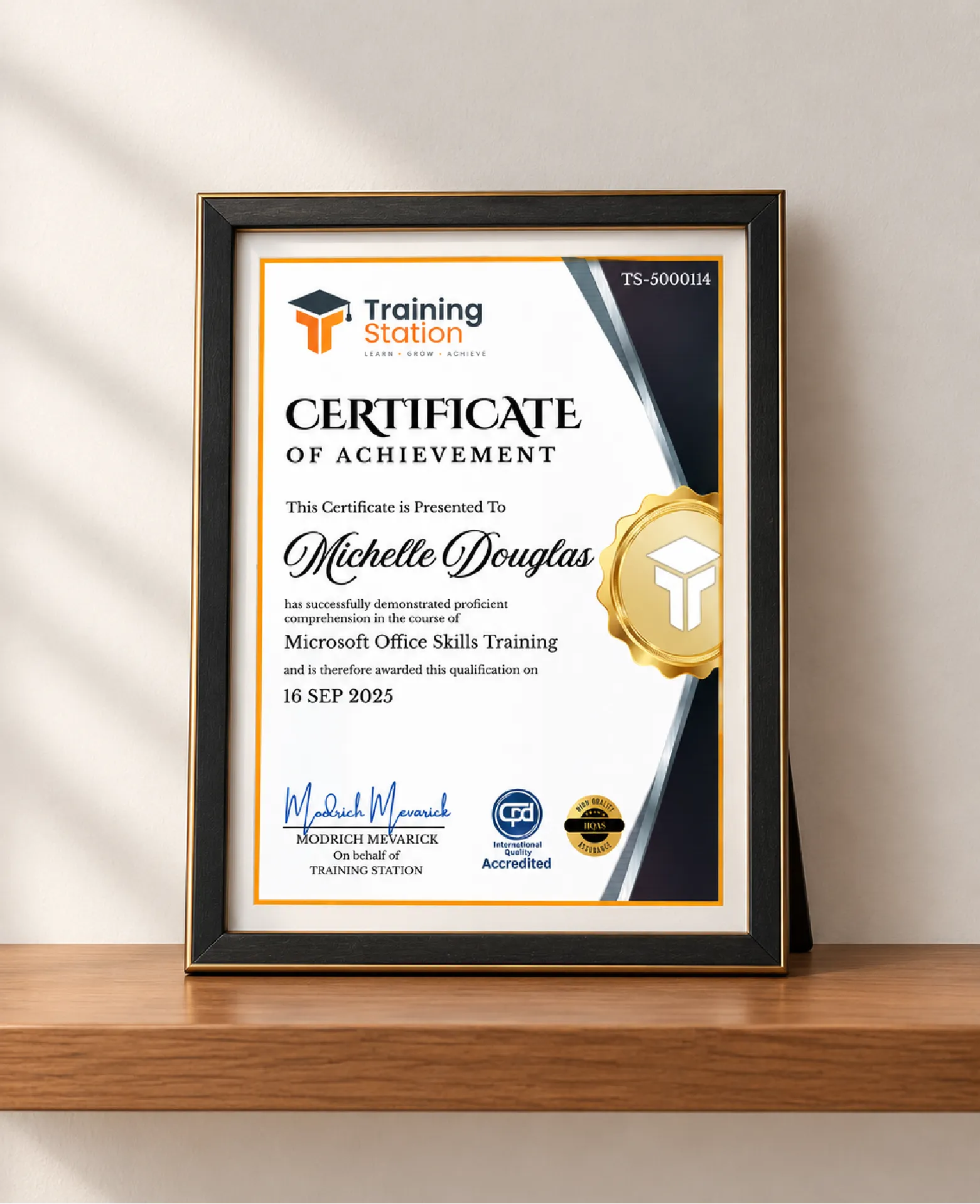
The supplied course information does not confirm that the course provides an Office 365 certification or formal Microsoft certification. Therefore, no certification claim should be assumed from the curriculum alone.
What careers can Microsoft Office training support?
Microsoft Office skills can be useful for administrative and professional roles such as administrative assistant, executive assistant, personal assistant and legal secretary. Excel skills can also provide useful foundations for data-focused work, although advanced roles may require additional qualifications and experience.







 Access all courses for Only £99