
Strategies for Dynamic Facebook Live Sessions

- Access
- Lifetime
- Assistance
- Expert Tutor Support
- Flexibility
- Learn Anytime, Anywhere
Overview
Unlock the Power of Dynamic Engagement with Strategies for Dynamic Facebook Live Sessions! 🚀
Are you ready to captivate your audience and skyrocket your online presence? Introducing our cutting-edge course, Strategies for Dynamic Facebook Live Sessions! Dive into the world of live streaming and discover how to harness the full potential of Facebook Live to engage, educate, and entertain your viewers like never before.
Benefits of Taking This Course
🌟 Master Dynamic Engagement: Learn proven strategies to keep your audience hooked from start to finish, including tips for compelling content, interactive features, and effective storytelling techniques.
🌟 Boost Your Reach: Unlock the secrets to maximizing your reach and attracting a wider audience with powerful promotion and optimization strategies tailored specifically for Facebook Live.
🌟 Build Authentic Connections: Discover how to foster genuine connections with your audience, building trust and loyalty that will keep them coming back for more.
🌟 Increase Brand Visibility: Elevate your brand’s visibility and authority in your niche by delivering high-quality, engaging Facebook Live sessions that showcase your expertise and personality.
🌟 Drive Action and Conversions: Learn how to leverage the unique capabilities of Facebook Live to drive action and conversions, whether it’s generating leads, making sales, or driving traffic to your website.
Who is This For?
This course is perfect for content creators, entrepreneurs, influencers, marketers, and anyone looking to leverage the power of live streaming to grow their brand and connect with their audience on a deeper level. Whether you’re a seasoned pro or just starting out, this course will provide you with the skills and strategies you need to take your Facebook Live sessions to the next level.
Upon completing this course, you’ll be equipped with the knowledge and skills to excel in a variety of roles, including:
🎯 Social Media Manager: Master the art of engaging live content creation to boost brand awareness and drive engagement for your clients.
🎯 Content Creator: Elevate your content game and attract a larger audience by incorporating dynamic Facebook Live sessions into your content strategy.
🎯 Digital Marketer: Harness the power of Facebook Live to drive traffic, generate leads, and increase conversions for your business or clients.
🎯 Influencer: Stand out from the crowd and forge deeper connections with your followers by delivering compelling and authentic live content.
FAQ
Q: Is this course suitable for beginners? A: Absolutely! This course is designed to cater to both beginners and experienced individuals looking to enhance their Facebook Live skills.
Q: How long does it take to complete the course? A: The course duration may vary depending on your learning pace, but on average, most students complete it within a few weeks.
Q: Will I receive a certificate upon completion? A: Yes, upon successfully completing the course, you’ll receive a certificate that you can showcase on your resume or LinkedIn profile.
Q: Do I need any special equipment to participate in the course? A: While having access to a smartphone or computer with a stable internet connection is recommended, no special equipment is required to take this course.
Q: Can I access the course materials on mobile devices? A: Yes, our platform is fully optimized for mobile devices, allowing you to access the course materials anytime, anywhere.
Q: Is there a refund policy? A: We offer a satisfaction guarantee, so if you’re not completely satisfied with the course, you can request a full refund within the specified timeframe.
Don’t miss out on this opportunity to revolutionize your Facebook Live game and take your online presence to new heights! Enroll now and start crafting unforgettable live sessions that leave a lasting impression on your audience. Let’s embark on this exciting journey together! 🚀
Curriculum
- Overview
- Mobile Equipment Needed
- Mobile Equipment Not Needed But Useful
- Desktop Equipment Needed
- Desktop Equipment Not Needed But Helpful
- Sharing Your Screen on Facebook Live
- Sharing Your Cam On Facebook Live
- Going Live on Your Personal Profile
- Going Live Into a Group
- Going Live on Your Page
- Go Live From Your Mobile Device
- Downloading Your Video
- Using the Facebook Creator Studio
- FB Creator Content Studio Library
- FB Creator Studio Insights
- FB Live Monetization
- FB Creator Launchpad
- FB Creator – Rights Manager
- FB Creator Sudio Preferences
- Conclusion – Go Live On Pages and In Groups Simultaneously
- Overview
- Why Use OBS And Not the Camera View
- Acquire and Download OBS Studio
- Installing OBS Studio
- Basic Settings
- Scenes Then Sources
- Capturing A Camera
- Capturing the Audio
- Capturing a Monitor
- Layering Sources
- Connecting To Facebook
- Troubleshooting Grey Screen in OBS
- Streamlabs OBS Download
- Streamlabs OBS Installation
- Streamlabs OBS Scenes and Sources
- Streamlabs OBS – Screens and Monitors
- Streamlabs OBS – Capturing Audio and Video
- Streamlabs OBS – Working In Studio Mode
- Streamlabs OBS – Connecting To Facebook
- Conclusion – Streamlabs OBS or OBS Studio
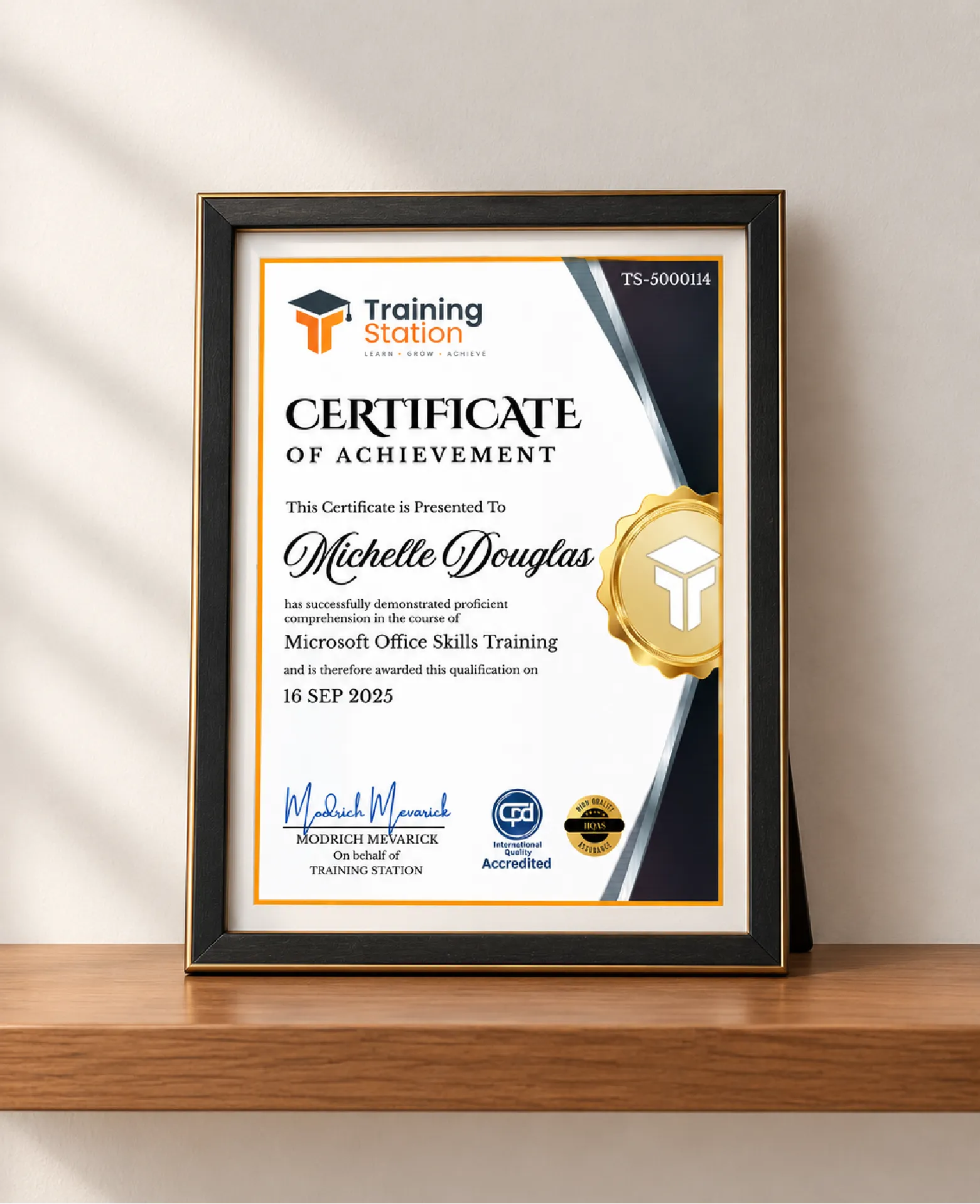
Celebrate your achievement with a CPD-IQ accredited certificate from Training Station! Perfect for showcasing your skills, boosting your career, and enhancing your professional profile.
Get this CourseOur Courses Accreditation

Frequently Asked Questions
Fully online through PDF materials and video lessons. Learn anytime, anywhere.
Self-paced: complete it in a week or spread it over months.
No. The course is beginner-friendly.
Yes. Instructor support is available Monday to Friday.
Yes. We offer a 14-day money-back guarantee.
 Access all courses for Only £99