
Speaking Like AI – ElevenLabs Workshop

- Access
- Lifetime
- Assistance
- Expert Tutor Support
- Flexibility
- Learn Anytime, Anywhere
Overview
Speaking Like AI – ElevenLabs Workshop
1. Overview
The Speaking Like AI – ElevenLabs Workshop is a comprehensive, hands-on training program designed to help learners master the rapidly growing world of AI voice generation, voice cloning, audio production, and AI-powered content creation. Whether you are a content creator, marketer, educator, entrepreneur, audiobook producer, or digital media professional, this course provides the practical skills required to create professional-quality AI-generated voices and audio content using ElevenLabs and related tools.
Artificial intelligence is transforming the way businesses, creators, and educators communicate with audiences. High-quality voice synthesis is no longer limited to expensive studios and professional voice actors. With modern AI technologies such as ElevenLabs, anyone can generate realistic voiceovers, clone voices, create audiobooks, and develop engaging multimedia content with unprecedented efficiency.
The Speaking Like AI – ElevenLabs Workshop takes you from the fundamentals of generating AI audio content to advanced voice cloning techniques and audiobook production workflows. Throughout the course, you will learn how to create natural-sounding voiceovers, improve voice stability, integrate AI audio with video content, and manage professional audio projects from start to finish.
By the end of this training, you will possess the confidence and technical expertise necessary to create polished AI voice projects that sound professional, engaging, and production-ready.
2. Course Description
The Speaking Like AI – ElevenLabs Workshop has been carefully designed to provide learners with practical experience using one of the world’s most advanced AI voice generation platforms. The course combines theory, demonstrations, and real-world workflows that can be immediately applied to content creation, marketing campaigns, online courses, podcasts, YouTube videos, audiobooks, presentations, and business communications.
Unlike basic tutorials that only cover the platform’s surface-level features, this workshop explores the complete AI voice production process. You will learn how to generate audio content, optimize scripts using ChatGPT, create and manage voice clones, improve audio quality, integrate voiceovers into video production tools, and produce long-form audiobook content efficiently.
The course focuses heavily on practical implementation, ensuring that every lesson contributes directly to real-world project creation. Whether your goal is to build a personal brand, create educational materials, automate content production, or explore AI-powered media creation, the Speaking Like AI – ElevenLabs Workshop provides a structured roadmap for success.
3. What You Will Learn in Speaking Like AI – ElevenLabs Workshop
Module: Speaking Like AI – ElevenLabs Workshop
Begin your learning journey with an introduction to the workshop, its objectives, and the opportunities available through AI voice technology.
You will explore:
-
The capabilities of ElevenLabs
-
Modern AI voice generation technology
-
Industry applications of synthetic speech
-
Course workflow and project expectations
-
Best practices for AI audio production
Module: Generating Audio Content
Learn how to create high-quality AI-generated speech using ElevenLabs.
Key learning outcomes include:
-
Understanding text-to-speech generation
-
Creating natural voiceovers
-
Managing pronunciation and pacing
-
Producing clear, engaging audio
-
Optimizing output quality for various content types
Module: Using ChatGPT to Refine Your Script
Strong audio begins with strong writing. This module demonstrates how AI can assist in preparing professional scripts.
You will learn:
-
Script enhancement techniques
-
Improving clarity and flow
-
Rewriting content for voice delivery
-
Structuring content for audience engagement
-
Using ChatGPT as a content refinement partner
Module: Adding and Testing a New Voice
Discover how to expand your voice library and evaluate voice performance.
Topics include:
-
Importing voices into projects
-
Testing voice characteristics
-
Comparing voice styles
-
Matching voices to content goals
-
Evaluating listener experience
Module: Editing and Correcting Your Script
Even minor script errors can affect the quality of generated speech. This module focuses on script optimization.
You will learn:
-
Correcting pronunciation issues
-
Editing sentence structures
-
Improving readability
-
Creating conversational delivery
-
Eliminating common voice generation problems
Module: Creating Videos with Pictory
Expand beyond audio by integrating AI-generated speech into video production.
Key concepts include:
-
Introduction to Pictory
-
Creating video projects
-
Adding visuals to narration
-
Developing engaging video content
-
Enhancing audience retention
Module: Integrating ElevenLabs into Pictory
Learn how to combine two powerful AI platforms to streamline multimedia production.
Topics covered:
-
Voiceover integration workflows
-
Synchronizing narration with visuals
-
Improving video presentation quality
-
Creating professional marketing content
-
Building automated content pipelines
Module: Inserting Text for Audio Generation
Master the process of preparing text for high-quality voice synthesis.
You will learn:
-
Text formatting strategies
-
Segmenting content effectively
-
Managing large scripts
-
Enhancing speech realism
-
Structuring content for AI delivery
Module: Reviewing and Listening to Audio
Quality control is essential for professional results.
This module teaches:
-
Audio review techniques
-
Identifying speech inconsistencies
-
Detecting pronunciation issues
-
Evaluating listener experience
-
Implementing revisions efficiently
Module: Creating an Instant Voice Clone
One of ElevenLabs’ most powerful features is voice cloning.
You will explore:
-
Voice cloning fundamentals
-
Creating realistic digital voices
-
Capturing voice characteristics
-
Building custom voice assets
-
Ethical considerations of voice cloning
Module: Using Real-Time Cloned Voices
Learn how cloned voices can be applied in dynamic content environments.
Key skills include:
-
Real-time voice deployment
-
Interactive applications
-
Live content production
-
Personalized communication workflows
-
Scaling voice-driven projects
Module: Improving Voice Stability
Achieve more consistent and professional voice outputs.
Topics include:
-
Understanding voice stability settings
-
Reducing fluctuations
-
Improving natural speech patterns
-
Enhancing listener confidence
-
Fine-tuning advanced controls
Module: Managing Projects Effectively
Professional creators require organized workflows.
This module covers:
-
Project organization
-
Asset management
-
Workflow optimization
-
Team collaboration strategies
-
Efficient content production systems
Module: Listening to Audio in Projects
Learn advanced review techniques for maintaining production standards.
You will discover:
-
Reviewing project-wide audio
-
Identifying quality issues
-
Managing revisions
-
Maintaining consistency
-
Final quality assurance processes
Module: Advanced Cloning Adjustments in Projects
Take voice cloning to the next level with advanced customization.
Learning objectives include:
-
Fine-tuning cloned voices
-
Adjusting emotional delivery
-
Improving realism
-
Customizing speech characteristics
-
Producing highly authentic outputs
Module: Selecting the Right Voice for Your Project
Different projects require different vocal styles.
You will learn:
-
Voice selection frameworks
-
Audience-focused decision making
-
Brand voice development
-
Matching tone and purpose
-
Creating memorable listener experiences
Module: Audiobook Mini Course – Using the Project Tab
Begin your audiobook production journey with professional project management techniques.
Topics include:
-
Audiobook project setup
-
Organizing chapters
-
Managing narration assets
-
Workflow planning
-
Efficient production structures
Module: Audiobook Mini Course – Configuring Project Settings
Proper configuration ensures professional audiobook quality.
You will explore:
-
Project configuration options
-
Audio output settings
-
Consistency controls
-
Publishing preparation
-
Quality optimization techniques
Module: Audiobook Mini Course – Dividing Audio Sections
Learn how to structure long-form content effectively.
Skills covered:
-
Chapter segmentation
-
Audio organization
-
Listener-friendly navigation
-
Production efficiency
-
Editing workflows
Module: Audiobook Mini Course – Finalising the Process
Complete your audiobook production with confidence.
You will learn:
-
Final quality checks
-
Exporting completed projects
-
Preparing files for publication
-
Distribution readiness
-
Professional production standards
4. Who Is This Course For?
The Speaking Like AI – ElevenLabs Workshop is ideal for:
-
Content creators and influencers
-
YouTubers and video producers
-
Podcast creators
-
Digital marketers
-
Online educators and trainers
-
Audiobook creators
-
Business owners
-
Freelance media professionals
-
Voiceover enthusiasts
-
AI technology enthusiasts
-
E-learning developers
-
Entrepreneurs seeking scalable content solutions
No prior experience with AI voice generation is required.
5. Requirements
To successfully complete the Speaking Like AI – ElevenLabs Workshop, learners should have:
-
A computer or laptop with internet access
-
Basic computer literacy
-
Interest in AI content creation
-
Access to ElevenLabs (free or paid account)
-
Optional access to ChatGPT and Pictory
-
Willingness to practice and experiment with projects
No advanced technical skills or programming knowledge are needed.
6. Career Path
Completing the Speaking Like AI – ElevenLabs Workshop can support progression into a variety of modern digital careers, including:
-
AI Content Creator
-
AI Voice Specialist
-
Digital Marketing Specialist
-
Audiobook Producer
-
Podcast Producer
-
Multimedia Content Creator
-
YouTube Content Manager
-
E-Learning Developer
-
Voiceover Production Assistant
-
Digital Media Consultant
-
Content Automation Specialist
-
AI Media Strategist
The growing adoption of AI-powered media tools creates increasing opportunities for professionals who understand voice synthesis, content automation, and multimedia production.
7. FAQ
1. What is the Speaking Like AI – ElevenLabs Workshop?
This course teaches learners how to create AI-generated voices, clone voices, produce audio content, integrate AI narration into videos, and create audiobooks using ElevenLabs and related tools.
2. Is this course suitable for beginners?
Yes. The course starts with foundational concepts and gradually progresses toward advanced voice cloning and audiobook production techniques.
3. Do I need prior experience with ElevenLabs?
No. The workshop is designed for complete beginners as well as existing users seeking advanced skills.
4. Will I learn voice cloning?
Yes. Multiple modules cover instant voice cloning, real-time cloned voices, and advanced voice customization techniques.
5. Does the course include audiobook creation?
Yes. The dedicated audiobook mini-course teaches project setup, configuration, section management, and final production workflows.
6. Can I use these skills for YouTube and social media content?
Absolutely. The course demonstrates how AI-generated voices can be used in videos, marketing campaigns, educational content, and social media production.
7. Will I learn script writing techniques?
You will learn how to use ChatGPT to refine, improve, and optimize scripts for professional voice generation.
8. Do I need expensive recording equipment?
No. One of the advantages of AI voice generation is that professional-quality audio can be produced without traditional recording studios.
9. What software will I use during the course?
The primary platform is ElevenLabs, with additional workflow demonstrations involving ChatGPT and Pictory.
10. What skills will I have after completing the course?
You will be able to generate AI voiceovers, clone voices, manage audio projects, create multimedia content, produce audiobooks, and develop professional AI-powered audio workflows.
Curriculum
- 0001 – Generating Audio Content
- 0002 – Using ChatGPT to Refine Your Script
- 0003 – Adding and Testing a New Voice
- 0004 – Editing and Correcting Your Script
- 0005 – Creating Videos with Pictory
- 0006 – Integrating ElevenLabs into Pictory
- 0007 – Inserting Text for Audio Generation
- 0008 – Reviewing and Listening to Audio
- 0009 – Creating an Instant Voice Clone
- 0010 – Using Real-Time Cloned Voices
- 0011 – Improving Voice Stability
- 0012 – Managing Projects Effectively
- 0013 – Listening to Audio in Projects
- 0014 – Advanced Cloning Adjustments in Projects
- 0016 – Selecting the Right Voice for Your Project
- 0017 – Audiobook Mini Course: Using the Project Tab
- 0018 – Audiobook Mini Course: Configuring Project Settings
- 0019 – Audiobook Mini Course: Dividing Audio Sections
- 0020 – Audiobook Mini Course: Finalising the Process
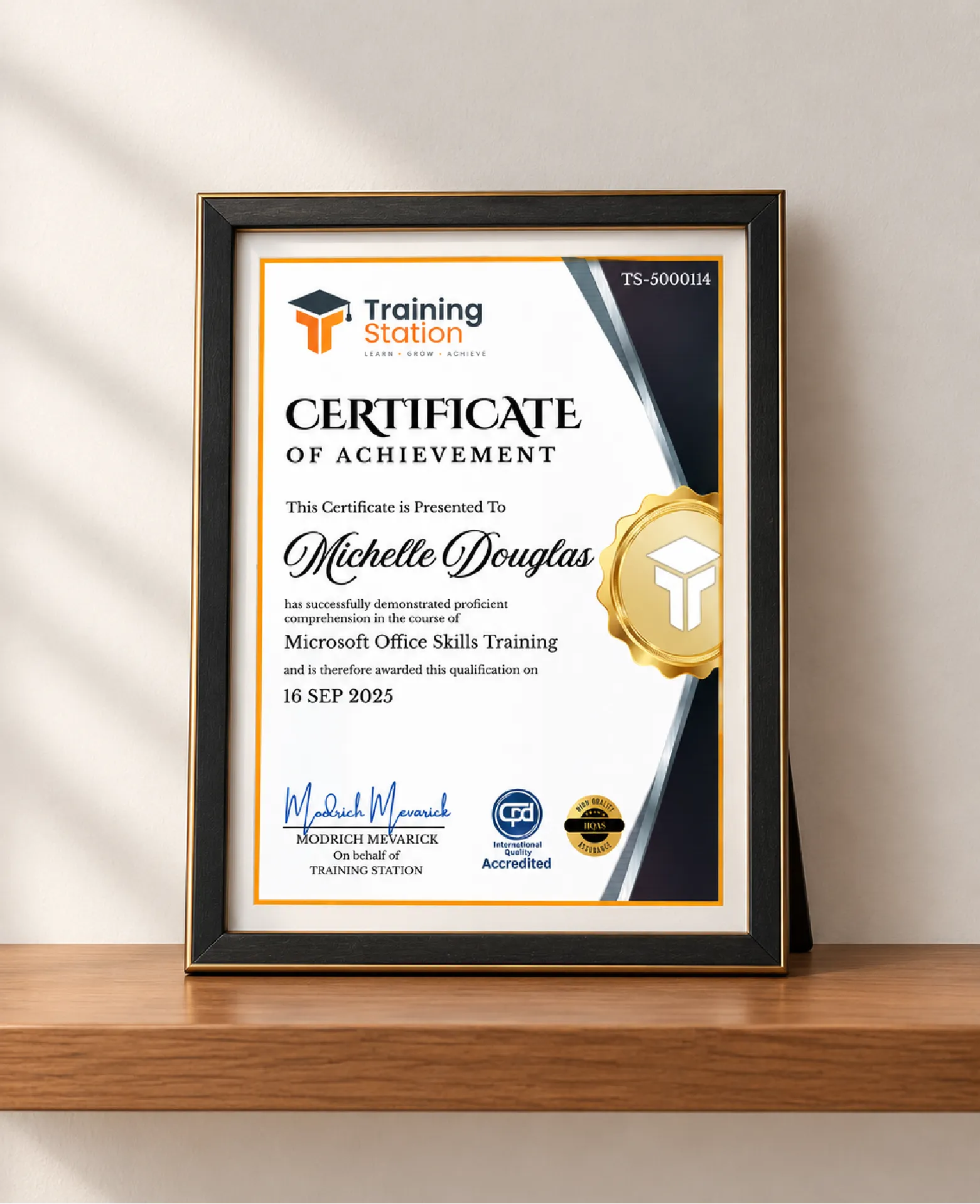
Celebrate your achievement with a CPD-IQ accredited certificate from Training Station! Perfect for showcasing your skills, boosting your career, and enhancing your professional profile.
Get this CourseOur Courses Accreditation




Frequently Asked Questions
Fully online through PDF materials and video lessons. Learn anytime, anywhere.
Self-paced: complete it in a week or spread it over months.
No. The course is beginner-friendly.
Yes. Instructor support is available Monday to Friday.
Yes. We offer a 14-day money-back guarantee.
 Access all courses for Only £99