
Optimizing Productivity: Unlocking Office 365 Collaboration

- Access
- Lifetime
- Assistance
- Expert Tutor Support
- Flexibility
- Learn Anytime, Anywhere
Overview
Unlock Your Team’s Potential with “Optimizing Productivity: Unlocking Office 365 Collaboration” Course!
Are you ready to take your team’s collaboration to the next level? Look no further! Our comprehensive course, “Optimizing Productivity: Unlocking Office 365 Collaboration,” is designed to empower you and your team with the essential skills and knowledge needed to maximize productivity using the powerful tools available in Office 365.
Website: Training Station – Our Courses
Benefits of Taking This Course:
🚀 Boost Productivity: Learn how to leverage the collaborative features of Office 365 to streamline workflows, enhance communication, and get more done in less time.
🔒 Enhanced Security: Understand best practices for safeguarding sensitive information and maintaining data privacy while collaborating in the cloud.
📈 Improved Efficiency: Master advanced techniques for organizing files, managing tasks, and coordinating projects within your team, leading to increased efficiency and effectiveness.
🌐 Anywhere, Anytime Access: Discover how Office 365 enables seamless collaboration from any device, anywhere in the world, ensuring your team stays connected and productive whether they’re in the office or on the go.
🔧 Troubleshooting and Optimization: Gain insights into troubleshooting common issues and optimizing your Office 365 environment for peak performance, minimizing downtime and maximizing productivity.
Who is This For?
This course is perfect for professionals and teams looking to harness the full potential of Office 365 for collaboration and productivity. Whether you’re a small business owner, a project manager, or part of a large corporate team, the skills taught in this course will empower you to work smarter, not harder.
By mastering the collaborative tools and techniques covered in this course, you’ll not only become an invaluable asset to your current team but also position yourself for greater career opportunities. From project management to IT administration, the skills acquired in this course are highly sought after in today’s competitive job market.
FAQs:
Q: Is this course suitable for beginners? A: Absolutely! This course is designed to cater to learners of all levels, from beginners to advanced users. We start with the basics and gradually progress to more advanced topics, ensuring everyone can follow along and gain valuable insights.
Q: Do I need any prior experience with Office 365? A: While prior experience with Office 365 is helpful, it’s not required. Our course covers everything you need to know, from the basics to advanced techniques, so you can start optimizing productivity right away.
Q: Can I access the course content on mobile devices? A: Yes! Our course platform is fully mobile-responsive, allowing you to access the content from any device, whether it’s a smartphone, tablet, or laptop. Learn on the go and never miss a lesson!
Q: How long does it take to complete the course? A: The duration of the course varies depending on your learning pace and schedule. On average, most learners complete the course within a few weeks, but you can take as much time as you need to fully absorb the material and practice the skills taught.
Q: Is there a certification upon completion of the course? A: Yes! Upon successfully completing the course, you’ll receive a certificate of completion, which you can showcase on your resume or LinkedIn profile to demonstrate your expertise in Office 365 collaboration and productivity.
Q: Can I interact with the instructors and other students during the course? A: Absolutely! Our course platform features discussion forums and live Q&A sessions where you can interact with instructors and fellow students, ask questions, share insights, and collaborate on projects. We believe that learning is most effective when it’s a collaborative effort!
Q: What if I have additional questions or need support during the course? A: We’re here to help! Our dedicated support team is available to assist you with any questions or concerns you may have during the course. Simply reach out to us via email or through the course platform, and we’ll be happy to assist you.
Don’t miss out on this opportunity to supercharge your team’s productivity and unlock the full potential of Office 365 collaboration. Enroll now and take the first step towards a more efficient and connected workplace!
Curriculum
- Overview
- Licensing Issues for Business
- Home Vs Business Pricing
- Reasons To Consider the Home Version
- Differing Levels of Business Pricing – Enterprise
- Purchase and Set Up
- Using Office Applications Online
- Using Office Applications Offline
- Do You Need to Be Internet Connected
- Using One Drive – Admin
- Using One Drive Basic Functions
- Skype For Business Installation
- Skype for Business Webinars
- Skype for Business Vs Skype for Desktop
- Microsoft Outlook With Exchange
- Outlook.com Vs Microsoft Exchange
- Managing Tasks With Planner
- The Teams Application
- Invoicing and Management Applications
- Conclusion
- Overview
- Other 365 Options
- Admin Panel – Part One
- Admin Panel – Part Two
- Document Sharing and Collaboration
- Document Sharing and Collaboration With Delve
- Intranet with Sharepoint
- Intranet with Sharepoint – External App Updates Part Two
- PPT Alternative Onscreen Presentatoins with Sway
- PPT Alternative Onscreen Presentations With Sway – Part Two
- Zapier Like Integrations with Flow – Part One
- Zapier Like Integrations with Flow – Part Two
- Slack Like Conversations With Yammer – Part One
- Slack Like Conversations with Yammer – Part Two – External
- Adding On Applications with Dynamics 365
- Adding on Applications with Dynamics 365 – Part 2
- Create Surveys – Quizzes and Polls with Forms – Part One
- Create Surveys – Quizzes and Polls with Forms
- Using Microsoft To Do
- Conclusion
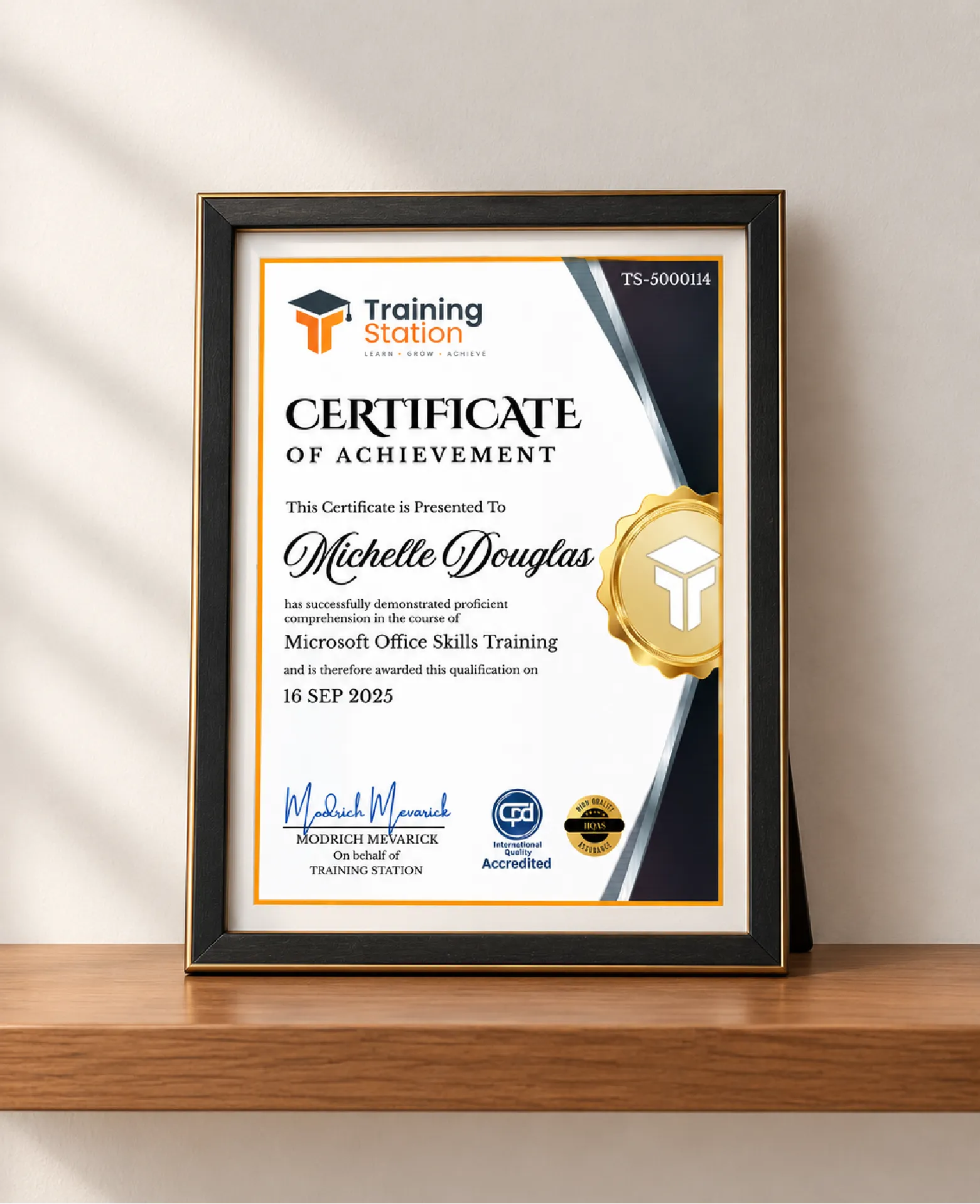
Celebrate your achievement with a CPD-IQ accredited certificate from Training Station! Perfect for showcasing your skills, boosting your career, and enhancing your professional profile.
Get this CourseOur Courses Accreditation


Frequently Asked Questions
Fully online through PDF materials and video lessons. Learn anytime, anywhere.
Self-paced: complete it in a week or spread it over months.
No. The course is beginner-friendly.
Yes. Instructor support is available Monday to Friday.
Yes. We offer a 14-day money-back guarantee.
 Access all courses for Only £99