
Adobe Illustrator CC Course: Graphic Design and Vector Art

- Access
- Lifetime
- Assistance
- Expert Tutor Support
- Flexibility
- Learn Anytime, Anywhere
Overview
Adobe Illustrator CC is a widely used graphic design application for creating vector-based artwork, illustrations, logos, icons and professional visual assets. Its powerful drawing and design tools allow users to create graphics that can be resized without losing image quality, making it valuable for digital design, branding, advertising and print production.
This Adobe Illustrator CC Course is designed to help you develop an understanding of the software and its role in modern graphic design. You will explore the essential tools, panels, drawing features and creative techniques used to produce professional-looking vector artwork.
Throughout the course, you will learn about the Illustrator workspace, document setup, shapes, paths, colours, typography, layers and object manipulation. You will also explore how different tools can be combined to create more detailed illustrations and organised design compositions.
You will develop an understanding of how vector graphics differ from raster images and why this distinction matters when creating logos, icons, illustrations and scalable design assets.
The course will also help you understand how Illustrator can support creative workflows across different industries. From developing a visual identity for a business to creating digital illustrations and marketing materials, the software offers a wide range of possibilities for communicating ideas visually.
Whether you are a beginner interested in graphic design, a creative professional looking to expand your software knowledge or an aspiring illustrator building your design skills, this course will help you develop a foundation in Adobe Illustrator CC.
What You Will Learn
By studying this course, you will develop an understanding of:
-
The Adobe Illustrator CC workspace and essential interface features.
-
The differences between vector and raster graphics.
-
Creating and managing Illustrator documents.
-
Using selection, drawing and shape tools.
-
Creating and editing paths and anchor points.
-
Applying colours, gradients and fills.
-
Working with layers and organising design elements.
-
Using typography to create effective visual compositions.
-
Creating logos, icons and simple illustrations.
-
Transforming, aligning and arranging objects.
-
Combining shapes to develop more complex artwork.
-
Understanding image placement and tracing concepts.
-
Preparing artwork for digital and print applications.
-
Exporting and saving designs in suitable file formats.
-
Developing more organised and efficient design workflows.
Understanding Adobe Illustrator CC
Adobe Illustrator CC is a vector graphics application that allows designers to create artwork using mathematical paths, shapes and points. Unlike raster graphics, which are made from individual pixels, vector artwork can be scaled to different sizes without losing its underlying clarity.
You will explore the purpose of Illustrator and understand how it differs from other creative applications.
You will also learn about the types of projects for which Illustrator is commonly used, including logos, branding elements, icons, diagrams, illustrations, packaging graphics and marketing materials.
Understanding the software’s capabilities will help you identify when Illustrator is an appropriate tool for a particular design task.
You will also develop awareness of how Illustrator fits into wider creative workflows. Designers may use it alongside image-editing, page-layout, presentation and video applications depending on the requirements of a project.
Exploring the Illustrator Workspace
A good understanding of the workspace makes it easier to navigate the software and find the tools required for different tasks.
You will explore the main elements of the Illustrator interface, including the toolbar, menus, control panel, properties panel, document area and supporting panels.
You will learn why workspace organisation can influence productivity and how different panels support specific design activities.
You will also explore document setup and understand the importance of choosing appropriate dimensions, orientation and other settings before beginning a project.
These skills will help you become more comfortable working within Illustrator and managing your design environment.
Working with Shapes and Drawing Tools
Shapes provide the foundation for many vector graphics. Simple objects can be combined, modified and arranged to create more complex designs.
You will explore Illustrator’s shape tools and understand how to create and adjust common geometric forms.
You will develop an understanding of object selection, resizing, rotation and positioning. You will also learn why accurate alignment and consistent spacing contribute to more organised visual compositions.
The drawing tools allow designers to move beyond basic shapes and create more customised artwork. You will explore how freeform drawing and vector paths can be used to develop illustrations and design elements.
By understanding these tools, you will be better prepared to create original artwork rather than relying entirely on pre-existing graphics.
Understanding Paths and Anchor Points
Paths are fundamental to vector design. They define the outlines and shapes that make up Illustrator artwork.
You will explore how paths are created and how anchor points control their structure. You will develop an understanding of straight segments, curved lines and the use of handles to adjust shapes.
You will also learn why precise path editing is important when creating smooth curves, detailed illustrations and clean logo designs.
Understanding anchor points will help you recognise how small adjustments can influence the overall appearance of a vector object.
As you develop your knowledge, you will become more familiar with the relationship between paths, curves and the finished artwork.
Using Colours, Fills and Gradients
Colour is an important part of visual communication. It can influence how a design feels, guide attention and help establish a consistent identity.
You will explore how Illustrator manages colours and how fills and strokes can be applied to objects.
You will develop awareness of colour selection, colour combinations and the role of consistency in design projects.
You will also explore gradients and understand how gradual colour transitions can add depth and visual interest to artwork.
These concepts can help you create more considered visual compositions for digital graphics, branding and promotional materials.
Working with Layers and Object Organisation
Complex design projects often contain many individual objects. Layers help designers organise these elements and manage their visibility, arrangement and editing.
You will explore how layers work and why a structured document is easier to manage than a collection of unorganised objects.
You will develop an understanding of selecting, grouping, locking, hiding and arranging design elements.
You will also learn why naming and organising layers can be useful when working on detailed illustrations or projects that may need future revisions.
These practices can support a more efficient workflow and make your designs easier to edit and maintain.
Typography and Text Design
Typography plays an important role in graphic design because it influences readability, hierarchy and visual identity.
You will explore how Illustrator supports the creation and formatting of text elements.
You will develop an understanding of font selection, text sizing, alignment, spacing and the relationship between typography and other visual elements.
You will also explore how text can be incorporated into logos, posters, promotional graphics and branding materials.
You will learn why designers need to consider legibility and consistency when selecting typefaces and arranging written content.
These skills can help you create designs that communicate information clearly while maintaining a professional appearance.
Creating Logos and Brand Graphics
Logos are among the most recognisable applications of vector design. They need to communicate identity clearly and remain usable across different sizes and formats.
You will explore how Illustrator’s shape, path, colour and typography tools can be combined to develop logo concepts.
You will understand why simplicity, clarity and scalability are important when creating brand graphics.
You will also develop awareness of visual consistency and how supporting design elements can contribute to a recognisable brand identity.
This knowledge can help you approach logo creation with greater structure and understand the design decisions involved in developing a visual identity.
Developing Vector Illustrations
Illustration involves communicating ideas through visual artwork. Illustrator provides tools for creating everything from simple icons to more detailed vector compositions.
You will explore how shapes, paths, colours and object arrangements can be combined to create illustrations.
You will develop an understanding of how to break complex subjects into simpler visual components and build artwork progressively.
You will also learn why consistency in line weight, colour and proportion can improve the overall quality of an illustration.
These techniques can support creative projects involving editorial graphics, educational illustrations, digital artwork and marketing content.
Transforming and Combining Objects
Illustrator includes tools for modifying objects and creating more complex shapes from simpler elements.
You will explore how transformation, alignment and arrangement tools can help you control the appearance and position of design components.
You will also develop awareness of shape-combination techniques and how overlapping objects can be used to construct new visual forms.
Understanding these features can help you create more detailed artwork and work more efficiently when developing logos, icons and illustrations.
You will also recognise why accurate positioning and proportion are important for balanced design compositions.
Image Placement and Tracing Concepts
Vector projects may involve the use of external images as references or supporting elements.
You will explore the principles of placing images into Illustrator documents and understand how image references can support the creation of vector artwork.
You will also develop awareness of image tracing concepts and how raster references can be used as a starting point for vector-based designs.
You will learn why tracing results should be reviewed and refined where necessary, particularly when creating artwork that requires clean outlines and consistent shapes.
This knowledge can help you understand how different image types can be used together within a design workflow.
Preparing and Exporting Artwork
A finished design often needs to be supplied in a format suitable for its intended use.
You will explore the importance of saving Illustrator projects and exporting artwork for different applications.
You will develop an understanding of the difference between editable project files and exported graphic formats.
You will also learn why output requirements matter. A design intended for print may need different document settings from an illustration prepared for a website or social media graphic.
Understanding these considerations can help you prepare artwork more appropriately and communicate with clients, printers or other creative professionals.
Who Is This For?
This course is suitable for individuals who want to develop graphic design and vector illustration skills using Adobe Illustrator CC.
It may be particularly useful for:
-
Beginner Graphic Designers: Develop an understanding of vector design tools and essential creative techniques.
-
Aspiring Illustrators: Explore how Illustrator can be used to create original vector artwork.
-
Marketing Professionals: Develop knowledge of how visual assets can support promotional campaigns and brand communication.
-
Social Media Content Creators: Understand how to create graphics, icons and other visual materials for digital platforms.
-
Small Business Owners: Develop awareness of how branding elements and marketing graphics are created.
-
Students: Build foundational knowledge of professional graphic design software.
-
Freelancers: Explore vector design as an additional creative skill that may support future project opportunities.
-
Creative Professionals: Expand your understanding of vector graphics and digital illustration workflows.
-
Career Changers: Begin developing design knowledge that can support further training and portfolio development.
The course is also suitable for anyone interested in creating scalable graphics, developing visual communication skills or exploring digital creativity.
Requirements / Prerequisites
No formal qualifications or previous graphic design experience are required to begin studying this course.
The following may help you get the most from the learning experience:
-
Access to a computer capable of running a compatible version of Adobe Illustrator.
-
Access to Adobe Illustrator CC or an appropriate version of Illustrator.
-
Basic computer and file-management skills.
-
An interest in graphic design, illustration or digital creativity.
-
A willingness to practise using creative tools and experiment with different design approaches.
Previous experience with graphic design software may be useful but is not essential.
Learners who want to develop stronger practical skills should practise regularly and create original projects that demonstrate their progress.
Skills You Can Develop
By studying Adobe Illustrator CC, you can strengthen several creative and technical capabilities.
Vector Graphic Design: Understand how scalable graphics are created and edited.
Digital Illustration: Develop awareness of drawing tools, paths, anchor points and visual composition.
Logo Design: Understand the principles involved in creating clear and adaptable brand graphics.
Typography: Learn how text can be arranged and styled to support visual communication.
Colour Application: Develop awareness of colour selection, fills, strokes and gradients.
Design Organisation: Understand how layers, groups and object arrangements support efficient workflows.
Visual Problem-Solving: Develop the ability to break complex designs into manageable shapes and components.
File Preparation: Understand how to save and export artwork for different digital and print applications.
Creative Communication: Build knowledge that can help you translate ideas into visual content.
Career Path
Adobe Illustrator skills can support further development in a range of creative and design-related career areas. This course provides foundational learning and does not guarantee employment, professional certification or a particular income. Employers and clients may expect a strong portfolio, practical experience and knowledge of additional design tools.
Potential career directions include:
Junior Graphic Designer: Work towards creating visual materials such as promotional graphics, layouts, icons and branding elements.
Vector Illustrator: Develop a specialism in creating scalable illustrations and artwork for digital or print applications.
Logo Designer: Focus on developing visual identities and logo concepts for businesses and organisations.
Brand Design Assistant: Support creative teams with brand graphics, visual assets and design consistency.
Digital Content Designer: Create visual materials for websites, social media platforms and digital marketing campaigns.
Marketing Design Assistant: Help prepare promotional graphics, advertisements and supporting visual content.
Freelance Graphic Designer: Explore independent design projects based on your practical ability, portfolio and client requirements.
Creative Production Assistant: Support the preparation, organisation and delivery of visual materials within a creative team.
With additional training and professional experience, you may progress towards more specialised responsibilities in graphic design, illustration, branding or creative direction.
Applying Your Knowledge to Creative Projects
The concepts covered in this course can be applied to a wide range of practical design activities.
For example, you could create a simple logo for a small business by combining geometric shapes, typography and a carefully selected colour palette. You could then adapt the design for different sizes and applications.
You could also develop a collection of icons for a website or mobile application. Illustrator’s vector tools can help you create consistent graphics that remain clear at different display sizes.
Another example is designing promotional artwork for a marketing campaign. You could combine text, shapes, colours and illustrations to communicate an offer or highlight a product.
You might also create an original illustration by using reference images, constructing paths and refining individual shapes until the composition communicates your intended idea.
Working on these types of projects can help you develop confidence with the software and build a portfolio that demonstrates your creative progress.
Conclusion
The Adobe Illustrator CC Course provides a foundation for understanding vector graphic design and digital illustration. By exploring the workspace, drawing tools, shapes, paths, colours, typography, layers and export processes, you will develop knowledge of the techniques used to create professional visual assets.
You will gain an understanding of how Illustrator supports logo design, branding, illustrations, icons and marketing graphics. You will also learn why organisation, consistency and appropriate file preparation are important in creative work.
Whether you are starting a journey into graphic design, expanding your creative software knowledge or preparing to develop a professional portfolio, this course can help you build a valuable foundation in Adobe Illustrator CC and vector-based design.
Curriculum
- Welcome to the Adobe Illustrator Essentials Course
- Downloading the Course Project Files
- Getting Started with Adobe Illustrator
- Drawing with Shape and Line Tools
- Enhancing Designs with the Shape Builder Tool
- Designing a Modern Fox with Shape Builder
- Designing a Custom Geometric Logo
- Drawing Creative Artwork with the Curvature Tool
- Drawing with the Pen Tool
- Drawing with the Pencil Tool and Advanced Stroke Settings
- Using Brushes in Adobe Illustrator
- Mastering the Width Tool
- Working with Text and Fonts in Illustrator
- Creating Curved Text Along a Path
- Converting and Editing Text as Vector Shapes
- Understanding RGB and CMYK Color Modes
- Sampling Colors from Images
- Using the Color Theme Tool
- Creating and Applying Gradient Effects
- Masking Images in Illustrator
- Cutting Shapes with Masking Techniques
- Using Creative Cloud Libraries
- Applying Liquify and Distort Effects
- Warping and Bending Shapes and Text
- Creating Repeating Shape Designs
- Creating Seamless Repeating Patterns
- Converting Images into Vector Artwork
- Using the Adobe Capture App
- Working with Free Illustrator Templates
- Exporting Artwork for Print
- Exporting Artwork for Web
- Recreating the Mastercard Logo
- Recreating the Instagram Logo
- Recreating the Kodak Logo
- Recreating the eHarmony Logo
- Recreating the Tinder Logo
- Recreating the BP Logo
- Illustrator Cheat Sheet and Quick Tips
- Exploring New Illustrator Features and Updates
- Course Wrap-Up and Final Thoughts
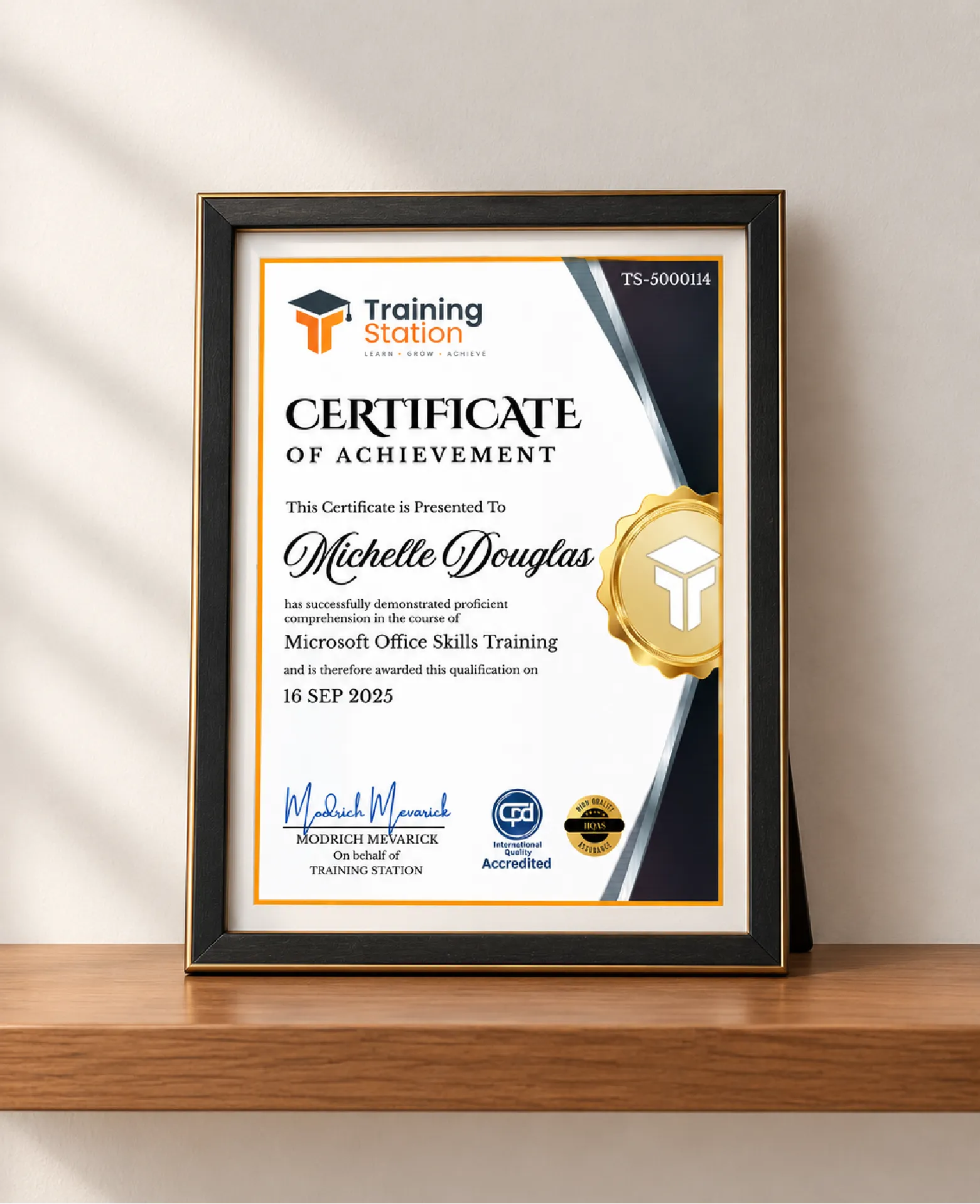
Celebrate your achievement with a CPD-IQ accredited certificate from Training Station! Perfect for showcasing your skills, boosting your career, and enhancing your professional profile.
Get this CourseOur Courses Accreditation




Frequently Asked Questions
Fully online through PDF materials and video lessons. Learn anytime, anywhere.
Self-paced: complete it in a week or spread it over months.
No. The course is beginner-friendly.
Yes. Instructor support is available Monday to Friday.
Yes. We offer a 14-day money-back guarantee.
 Access all courses for Only £99