
Claude AI Master Class – for Beginners to Advanced

- Access
- Lifetime
- Assistance
- Expert Tutor Support
- Flexibility
- Learn Anytime, Anywhere
Overview
Develop the skills to work confidently with artificial intelligence through the Claude AI Master Class – For Beginners to Advanced. This comprehensive course is designed to take you from the fundamentals of Claude AI to more advanced techniques, helping you understand how to use AI effectively for everyday activities, professional tasks, creative projects and technical applications.
Artificial intelligence is becoming an important part of modern workplaces and digital environments. From writing professional documents and conducting research to analysing information and supporting software development, AI tools are changing how people approach tasks and solve problems. Learning how to use these tools effectively can help you improve productivity, strengthen your digital knowledge and adapt to changing professional requirements.
Claude AI is a powerful AI assistant that can support writing, research, brainstorming, content development, document analysis, coding and problem-solving. However, getting the best results requires more than simply asking questions. You need to understand how to structure prompts, provide relevant context, communicate your requirements and choose the appropriate features for different activities.
This Claude AI Master Class provides a structured learning journey to help you develop these abilities. You will begin by understanding Claude and its core features before exploring the fundamentals of effective prompting. You will then learn how to apply Claude to everyday tasks, work with files and images, explore web search and organise ongoing activities through projects and memory.
As you progress, you will discover how Claude can support creative work, advanced prompting and more complex workflows. You will also explore connectors, skills, browser functionality, long-running tasks and scheduling. For learners interested in technical applications, the course introduces Claude Code and the Claude API, providing an understanding of how Claude can support coding and AI-powered digital solutions.
By the end of this course, you will have the knowledge to use Claude more confidently and strategically. You will be able to explore practical AI applications, improve your approach to everyday work, develop creative outputs and understand how advanced AI capabilities can support more sophisticated tasks.
What You Will Gain
By completing this course, you will be able to:
-
Understand Claude AI, its purpose and its main capabilities.
-
Write clear and effective prompts to generate relevant AI responses.
-
Apply Claude to everyday writing, planning, research and productivity activities.
-
Explore file uploads, image analysis and web search for information gathering.
-
Organise ongoing work using projects and memory features.
-
Use Claude to develop ideas, documents and creative content.
-
Apply advanced prompting techniques to more detailed and complex tasks.
-
Understand connectors, skills and browser functionality.
-
Explore long-running tasks and scheduling for improved workflow management.
-
Understand the purpose and potential applications of Claude Code.
-
Develop introductory knowledge of the Claude API and AI integration.
-
Recognise the importance of responsible AI use, accuracy and privacy.
Description
Artificial intelligence is creating new opportunities for individuals and organisations to work more efficiently, manage information and develop innovative solutions. Understanding how to use AI assistants effectively can help you improve your digital capabilities and approach everyday challenges with greater confidence.
The Claude AI Master Class – For Beginners to Advanced is designed to help you develop practical knowledge of Claude through a progressive learning experience. Whether you are completely new to AI or already familiar with generative AI tools, this course will help you explore Claude’s features and understand how to apply them in different situations.
You will start by becoming familiar with Claude and understanding what it can do. This foundation will help you identify practical opportunities to use AI in your personal, educational and professional activities.
A key part of the course focuses on prompting. You will learn how to provide clear instructions, include relevant context and structure requests to achieve more useful results. These techniques can help you prepare professional emails, develop reports, summarise information, generate ideas and complete a variety of writing and research activities.
You will then explore everyday uses of Claude and discover how it can support routine tasks. From planning and organising information to brainstorming and preparing content, you will gain an understanding of how AI can become a useful productivity assistant.
The course also introduces file and image capabilities alongside web search. These features can help you explore different ways of working with information, reviewing documents and supporting research activities.
As you progress, you will discover projects and memory. Understanding these features will help you organise ongoing activities, maintain useful context and develop more consistent AI-assisted workflows. You will also explore how Claude can support creative work, including content development, idea generation and document creation.
For learners who want to develop more advanced skills, the course introduces sophisticated prompting techniques and explores connectors, skills and browser functionality. You will understand how these capabilities can extend the ways Claude supports different tasks and workflows.
You will also explore long-running tasks and scheduling, gaining an understanding of how AI can assist with more extended activities and structured work processes.
The technical modules introduce Claude Code and the Claude API. You will discover how Claude can support coding-related activities and explore the fundamentals of connecting AI capabilities with applications and digital solutions. These topics provide a useful starting point for learners interested in developing further technical knowledge.
Responsible and effective AI use is an important part of the programme. You will learn why it is essential to review generated information, protect sensitive data, recognise AI limitations and apply human judgement when using AI-generated outputs.
By combining essential concepts with practical applications and advanced topics, this course will help you build a broader understanding of Claude and its potential role in modern working environments.
Course Curriculum
Module 1: Meet Claude
-
Understand what Claude AI is and how it works.
-
Explore its main features and capabilities.
-
Identify practical applications across different activities.
Module 2: Prompting Basics
-
Understand the fundamentals of AI prompting.
-
Learn how to write clear and specific instructions.
-
Improve responses by providing relevant context.
Module 3: Everyday Uses
-
Apply Claude to everyday writing and communication.
-
Use AI for planning, brainstorming and organisation.
-
Explore ways to improve personal and professional productivity.
Module 4: Files, Images and Web Search
-
Understand how to work with files and documents.
-
Explore image-related analysis capabilities.
-
Discover web search for research and information gathering.
Module 5: Projects and Memory
-
Understand how projects can organise ongoing work.
-
Explore memory and contextual information.
-
Develop more consistent AI-assisted workflows.
Module 6: Creating with Claude
-
Generate and develop creative ideas.
-
Use Claude to support content and document creation.
-
Explore ways to improve creative outputs.
Module 7: Advanced Prompting
-
Develop more sophisticated prompting techniques.
-
Structure complex instructions and multi-step requests.
-
Improve the relevance and quality of AI-generated responses.
Module 8: Connectors, Skills and Browser
-
Understand how connectors extend Claude’s capabilities.
-
Explore the purpose of skills and browser functionality.
-
Discover how integrated tools can support different workflows.
Module 9: Long Tasks and Scheduling
-
Understand how to approach extended AI-assisted tasks.
-
Explore scheduling and task-management capabilities.
-
Identify opportunities to improve workflow efficiency.
Module 10: Claude Code
-
Discover the purpose and capabilities of Claude Code.
-
Understand how AI can support coding activities.
-
Explore potential applications in software development workflows.
Module 11: The Claude API
-
Understand the fundamentals of the Claude API.
-
Explore how applications can communicate with Claude.
-
Discover opportunities for integrating AI into digital solutions.
Module 12: Responsible and Effective Use
-
Understand the importance of responsible AI practices.
-
Recognise the limitations of AI-generated information.
-
Apply appropriate privacy, accuracy and verification practices.
Who Is This For?
The Claude AI Master Class is suitable for anyone who wants to develop practical artificial intelligence skills and understand how Claude can support different personal and professional activities.
This course may be particularly valuable for:
Complete Beginners: Individuals who are new to Claude AI and want to understand its features, capabilities and everyday applications from the beginning.
Students and Graduates: Learners interested in using AI to support research, brainstorming, study organisation, information summarisation and idea development.
Office Administrators: Professionals who want to improve email writing, document preparation, information organisation and routine administrative activities.
Business Owners and Entrepreneurs: Individuals interested in using Claude for business research, planning, content creation, communication and productivity.
Marketing Professionals: People who want to explore AI-assisted content development, campaign ideas, marketing research and promotional communication.
Writers and Content Creators: Individuals who want to use Claude to generate ideas, prepare drafts, develop written materials and support creative projects.
Freelancers and Remote Workers: Professionals who want to improve their workflows, organise projects, prepare client communications and complete tasks more efficiently.
Researchers and Analysts: Individuals interested in using AI for information gathering, document analysis, research support and summarisation.
Developers and Technology Enthusiasts: Learners who want to explore Claude Code, understand API fundamentals and discover AI-assisted development possibilities.
Career Changers: Individuals who want to strengthen their digital knowledge and become more familiar with modern artificial intelligence tools.
Professionals and Team Leaders: People who want to explore how AI can support workplace productivity, communication, planning and problem-solving.
Whether you want to improve your everyday productivity or explore more advanced AI applications, this course provides a structured starting point.
Requirements / Prerequisites
There are no advanced technical prerequisites for enrolling in this Claude AI Master Class. The programme is designed to accommodate beginners while introducing more advanced features and applications for learners who want to expand their knowledge.
To benefit from the course, you should have:
-
A basic understanding of how to use a computer, laptop or compatible digital device.
-
A reliable internet connection to access online learning materials.
-
Basic reading and communication skills.
-
An interest in artificial intelligence and digital technologies.
-
A willingness to practise different prompting techniques and explore Claude’s features.
No previous experience with artificial intelligence, programming or software development is required to get started.
The technical modules introduce Claude Code and the Claude API, helping you understand their purposes and potential applications without requiring you to be an experienced developer.
Access to Claude and certain advanced capabilities may depend on your account, subscription, region and feature availability. Some practical activities may require access to an appropriate Claude account or relevant tools.
A curious mindset and willingness to experiment with different AI applications will help you gain the most from this learning experience.
Career Path
Developing practical knowledge of Claude AI can help strengthen your digital skills and complement your existing professional experience. As organisations continue exploring artificial intelligence, understanding how to use AI assistants effectively can be valuable across different industries and job functions.
Completing this course does not automatically qualify you for a particular role or guarantee employment. However, the knowledge you develop can provide a useful foundation for further learning and professional development.
Potential career directions where these skills may be useful include:
1. AI Content Creator
Use your understanding of prompting and content generation to support blog writing, social media content, digital communication and creative projects.
2. Digital Marketing Assistant
Apply Claude to support marketing research, content planning, campaign ideas and promotional communication.
3. Administrative Assistant
Explore AI-assisted approaches to email drafting, document preparation, information organisation and everyday office tasks.
4. Business Support Assistant
Use AI to assist with business research, planning, report preparation and routine organisational responsibilities.
5. Freelance Content Writer
Develop your ability to use Claude as a writing assistant for research, idea generation, drafting and editing while maintaining your own originality and professional judgement.
6. Research Assistant
Apply AI-supported research, document analysis and summarisation techniques to organise information and support research activities.
7. AI Productivity Specialist
Build on your understanding of prompting, projects, memory and AI workflows to help organisations explore more efficient ways of completing everyday tasks.
8. Junior AI Workflow Assistant
Use your knowledge of connectors, skills and scheduling concepts as a foundation for exploring AI-supported business processes and workflow improvement.
9. Junior Developer or Technical Support Professional
For learners who continue developing their programming knowledge, familiarity with Claude Code and the Claude API can complement technical training and software development experience.
10. Entrepreneur or Online Business Owner
Apply Claude to business planning, market research, content development, customer communication and other activities involved in managing an online business.
11. Digital Project Assistant
Explore how AI can support project organisation, information management, planning and communication across different activities.
12. Customer Support Assistant
Use Claude to support the preparation of customer responses, information resources, communication templates and everyday support materials.
Your career opportunities will depend on your existing qualifications, practical experience, additional training and ability to apply these skills effectively.
Why Choose This Claude AI Master Class?
Choosing a suitable AI training programme can help you develop confidence and build a practical understanding of modern artificial intelligence.
This course offers a structured learning journey from beginner concepts to advanced applications, helping you understand how Claude can support a wide range of activities.
You will benefit from:
-
Beginner-to-Advanced Learning: Progress from understanding Claude’s fundamentals to exploring advanced capabilities.
-
Practical AI Applications: Discover how to use Claude for writing, research, planning and everyday productivity.
-
Effective Prompting Skills: Learn how to communicate clearly with AI and improve the quality of responses.
-
Modern AI Features: Explore files, images, web search, projects, memory and creative applications.
-
Advanced Workflow Knowledge: Understand connectors, skills, browser functionality and scheduling.
-
Technical Foundations: Gain introductory knowledge of Claude Code and the Claude API.
-
Transferable Digital Skills: Develop knowledge that can complement your existing professional experience.
-
Responsible AI Practices: Understand the importance of accuracy, privacy, verification and human judgement.
Next Steps
Artificial intelligence is creating new opportunities to improve productivity, support professional activities and approach everyday challenges in different ways. Developing the ability to use AI effectively can help you become more confident in an increasingly digital working environment.
The Claude AI Master Class – For Beginners to Advanced provides an opportunity to explore Claude from the essential fundamentals to more advanced applications. You will develop prompting skills, discover practical productivity features, explore creative possibilities and gain an introduction to technical AI tools.
Whether your goal is to improve your everyday workflow, strengthen your professional capabilities, support your business activities or explore the possibilities of AI-assisted development, this course can help you take the next step.
Enrol today and start building practical Claude AI skills, from beginner fundamentals to advanced applications.
Curriculum
- Meet Claude
- Prompting Basics
- Everyday Uses
- Files Images Web Search
- Projects and Memory
- Creating with Claude
- Advanced Prompting
- Connectors Skills Browser
- Long Tasks and Scheduling
- Claude Code
- The Claude API
- Responsible and Effective Use
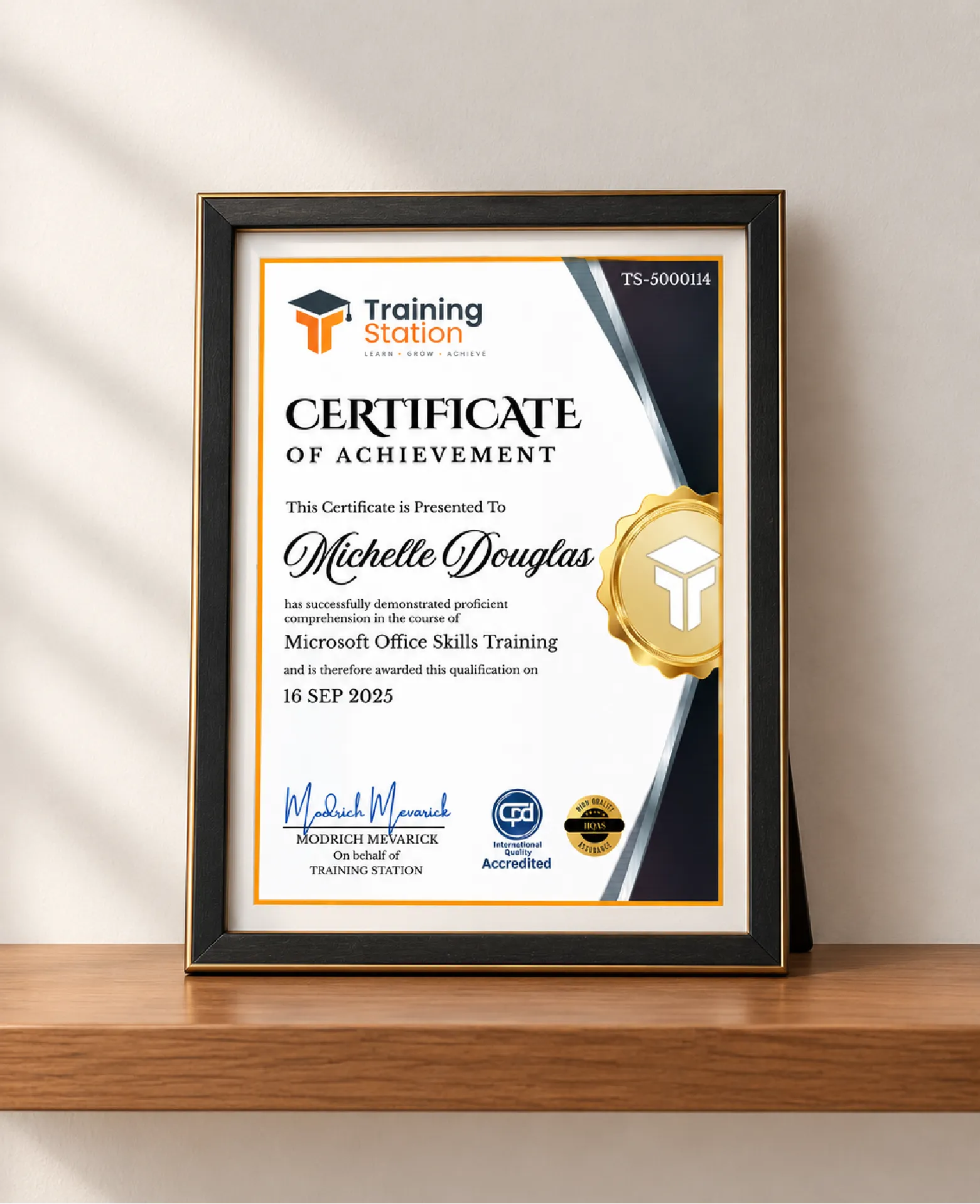
Celebrate your achievement with a CPD-IQ accredited certificate from Training Station! Perfect for showcasing your skills, boosting your career, and enhancing your professional profile.
Get this CourseOur Courses Accreditation





Frequently Asked Questions
Fully online through PDF materials and video lessons. Learn anytime, anywhere.
Self-paced: complete it in a week or spread it over months.
No. The course is beginner-friendly.
Yes. Instructor support is available Monday to Friday.
Yes. We offer a 14-day money-back guarantee.
 Access all courses for Only £99