
Zapier Automation Course: Master No-Code Workflow Automation

- Access
- Lifetime
- Assistance
- Expert Tutor Support
- Flexibility
- Learn Anytime, Anywhere
Overview
The Zapier Automation Course introduces you to the principles and practical possibilities of no-code workflow automation. Modern businesses use multiple digital applications to manage communication, customer information, marketing, administration, sales and project delivery. When these tools operate separately, employees may spend considerable time transferring information, repeating routine actions and managing manual processes.
Zapier helps connect compatible applications so that information and actions can move between them through automated workflows. This course will help you understand how to use automation to reduce repetitive work, improve consistency and create more organised digital processes.
You will learn the essential concepts behind triggers, actions, multi-step workflows and application integrations. You will explore how to plan an automation, identify suitable tasks, connect relevant applications and understand how information passes between different steps. You will also develop an awareness of testing, troubleshooting and maintaining automated processes.
The course focuses on the outcomes you can achieve through workflow automation. You will learn how to think about everyday business processes and recognise opportunities where automation could save time or reduce unnecessary manual activity. These skills can support administrative work, marketing operations, customer relationship management, sales coordination and project organisation.
What You Will Learn
By studying this course, you will develop the ability to:
-
Understand no-code automation and the role of Zapier.
-
Identify repetitive tasks that may be suitable for automation.
-
Understand triggers, actions and workflow logic.
-
Connect compatible applications and services.
-
Create basic and multi-step automated workflows.
-
Transfer information between connected applications.
-
Organise data fields and understand field mapping.
-
Test workflows and recognise common errors.
-
Apply automation to marketing, administration and business operations.
-
Review and maintain workflows as business processes change.
Who Is This For?
This course is suitable for beginners who want to explore workflow automation without learning a programming language. Office administrators, virtual assistants, business support professionals and operations employees can use the knowledge to identify tasks that may be simplified through automation.
Digital marketers may find the course useful for understanding how lead information, campaign responses and content workflows can be connected. Small business owners and entrepreneurs can explore ways to reduce repetitive administration and make better use of their existing software.
Freelancers and consultants may also benefit by developing an additional skill that can support clients who want more organised digital operations. Project coordinators, sales support staff and customer service professionals can use automation principles to understand how information moves between applications and where manual processes may create delays.
Requirements / Prerequisites
No programming experience or formal technical qualifications are required. Basic computer literacy and familiarity with using online applications will be helpful. An understanding of everyday office tasks, marketing processes or business administration can make the examples easier to relate to.
Access to a Zapier account and compatible applications may be useful for practical exploration. Some integrations and features may depend on account plans, application permissions and current platform availability. You should always review the permissions and data access required before connecting business applications.
Course Content
Module 1: Introduction to Workflow Automation
Understand what workflow automation means and why organisations use it. Explore the difference between manual processes and automated workflows. Identify common business tasks that involve repetitive actions and consider how automation may improve efficiency.
Module 2: Getting Started with Zapier
Explore the Zapier platform and understand its main interface and terminology. Learn how connected applications work together and how to approach the creation of a new automated workflow.
Module 3: Understanding Triggers and Actions
Learn the two essential building blocks of a Zap: triggers and actions. Understand how an event in one application can initiate an activity in another. Explore how to select appropriate events and configure the actions that follow.
Module 4: Connecting Applications and Mapping Data
Discover how applications exchange information through integrations. Learn about fields, records and data mapping. Understand how to match information from one application to the correct destination fields in another.
Module 5: Building Your First Automated Workflow
Develop a structured approach to creating a basic automation. Learn how to choose a starting event, define the resulting action and test whether the workflow behaves as expected.
Module 6: Multi-Step Workflows and Conditional Logic
Explore how workflows can contain several actions. Understand how information can move through multiple stages and how conditional logic can help determine which actions should take place. Learn why careful planning is important when creating more complex automations.
Module 7: Business and Marketing Automation
Consider practical automation opportunities in marketing, sales and customer management. Explore examples such as transferring enquiry details, organising new leads, supporting follow-up processes and connecting content-related applications.
Module 8: Productivity and Administrative Automation
Learn how automation can support everyday administration. Explore possibilities involving task creation, notifications, document processes and information management. Understand how automation can reduce repeated data entry while maintaining appropriate human oversight.
Module 9: Testing, Troubleshooting and Reliability
Learn why testing is essential before relying on an automated process. Explore common causes of workflow errors, including missing information, incorrect field mapping and changes in connected applications. Develop a systematic approach to checking and resolving issues.
Module 10: Maintaining and Improving Automated Workflows
Understand how business processes change and why automations should be reviewed regularly. Explore documentation, permissions, data quality and workflow monitoring. Learn how to assess whether an automation continues to deliver the intended result.
Skills You Will Develop
You will develop no-code automation knowledge, workflow planning, application integration awareness, data mapping, process analysis and troubleshooting skills. You will also strengthen your ability to examine everyday business activities and identify opportunities to simplify them.
An important outcome is learning to think in workflows. You will become more familiar with identifying what starts a process, what information is required, which actions need to happen and how the result should be checked.
Practical Applications
The skills covered in this course can be applied to lead management, customer enquiry handling, task allocation, marketing administration, notifications, spreadsheet updates and other repetitive business processes.
For example, you may explore how a new form submission could trigger an action in another connected application, or how a customer enquiry could be transferred into a system used by a sales team. You will understand the planning involved in connecting these steps and checking that information is transferred correctly.
Automation can support productivity, but it should not remove necessary human judgement. Sensitive decisions, customer communication and important business approvals may still require personal review. You will learn to consider where automation is appropriate and where manual oversight remains important.
Career Path
Zapier and workflow automation knowledge can support development towards roles such as:
-
Workflow Automation Assistant
-
Business Operations Assistant
-
Digital Operations Coordinator
-
Marketing Operations Assistant
-
CRM Support Assistant
-
Administrative Automation Specialist
-
No-Code Automation Consultant
These roles may require additional practical experience, knowledge of business software and an understanding of data protection. The course provides a foundation for further development rather than guaranteeing employment or professional recognition.
Your Learning Outcome
By the end of the course, you should understand how no-code automation works and how Zapier can connect compatible applications. You will be able to describe triggers and actions, plan basic workflows, understand multi-step automation and recognise the importance of testing and maintenance.
You will also develop a practical mindset for improving digital processes. Instead of accepting repetitive tasks as unavoidable, you will be able to examine how work is completed and consider whether a reliable automated workflow could make it more efficient. This knowledge can help you contribute to better-organised business operations and develop further skills in digital productivity.
Curriculum
- Sending Landing Page Data Directly to Google Sheets
- Capturing Blog Exit Popup Data and Syncing with Google Sheets
- Creating Advanced Multi-Step Zaps for Automation
- Capturing Payment Gateway Data and Applying Smart Filters
- Using Paths in Zapier for Advanced Workflow Automation
- Sending SMS Messages and Implementing Webhooks in Action Steps
- Building an Affiliate Program Using Zapier Automation
- Updating Google Sheet Records Using Search-Based Actions
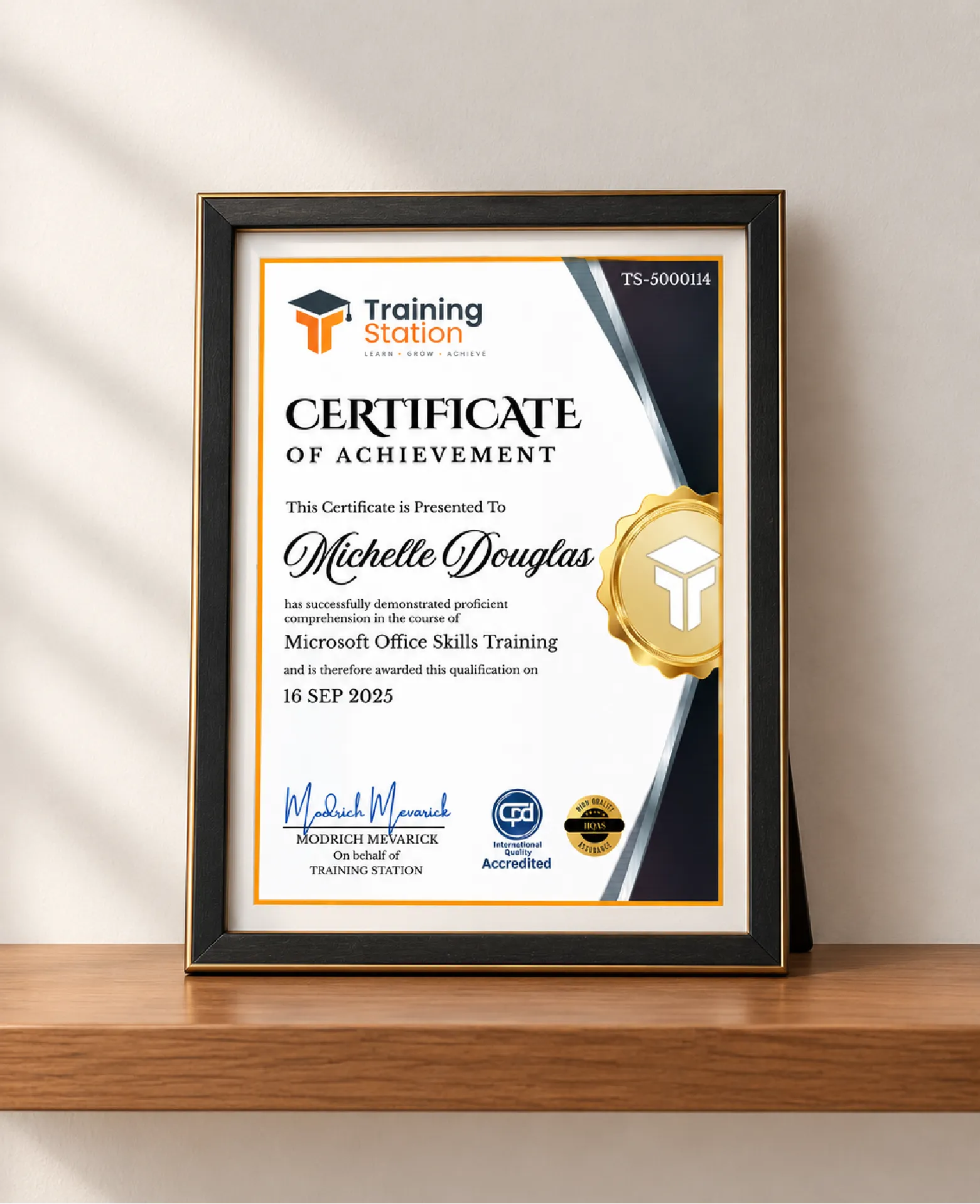
Celebrate your achievement with a CPD-IQ accredited certificate from Training Station! Perfect for showcasing your skills, boosting your career, and enhancing your professional profile.
Get this CourseOur Courses Accreditation




Frequently Asked Questions
Fully online through PDF materials and video lessons. Learn anytime, anywhere.
Self-paced: complete it in a week or spread it over months.
No. The course is beginner-friendly.
Yes. Instructor support is available Monday to Friday.
Yes. We offer a 14-day money-back guarantee.
 Access all courses for Only £99